Go back to an earlier version of a sidebar
Undo a change to a menu by restoring one of the sidebar's last 20 saved versions, including the copy Laramin keeps before it rebuilds or resets the menus.
- Applies to
- Menu Manager 1.2 and later
- Who can do this
- Platform owner
- Permission
feature.sidebar. menu.edit - Where
- Sidebar Management › Sidebars
On this page
Before you start
- You need Edit Sidebar (
feature.). With View Sidebars only, you can see the versions but not restore one.sidebar. menu.edit - Restoring takes effect straight away for everyone who uses the sidebar. It doesn't ask you to confirm.
- Restoring throws away changes you haven't saved in the builder.
Which versions there are
Laramin keeps a version of a sidebar each time:
| Version label | Made when |
|---|---|
| Builder save | Someone selected Save in the builder. The version is the layout as it was saved. |
| Restored v3 (for example) | Someone restored version 3. |
| Pre-rebuild snapshot | Just before Laramin rebuilt or reset the menus: after an add-on was installed, upgraded or licensed, after an upgrade changed the menu items that come with Core or a module, or when someone used Reset Navigations in Extra Utilities. |
Versions are numbered in order and kept until the sidebar is deleted for good. The builder lists the newest 20.
Steps
-
In the sidebar, open Sidebar Management › Sidebars.
-
In the sidebar's row, select Manage items.
-
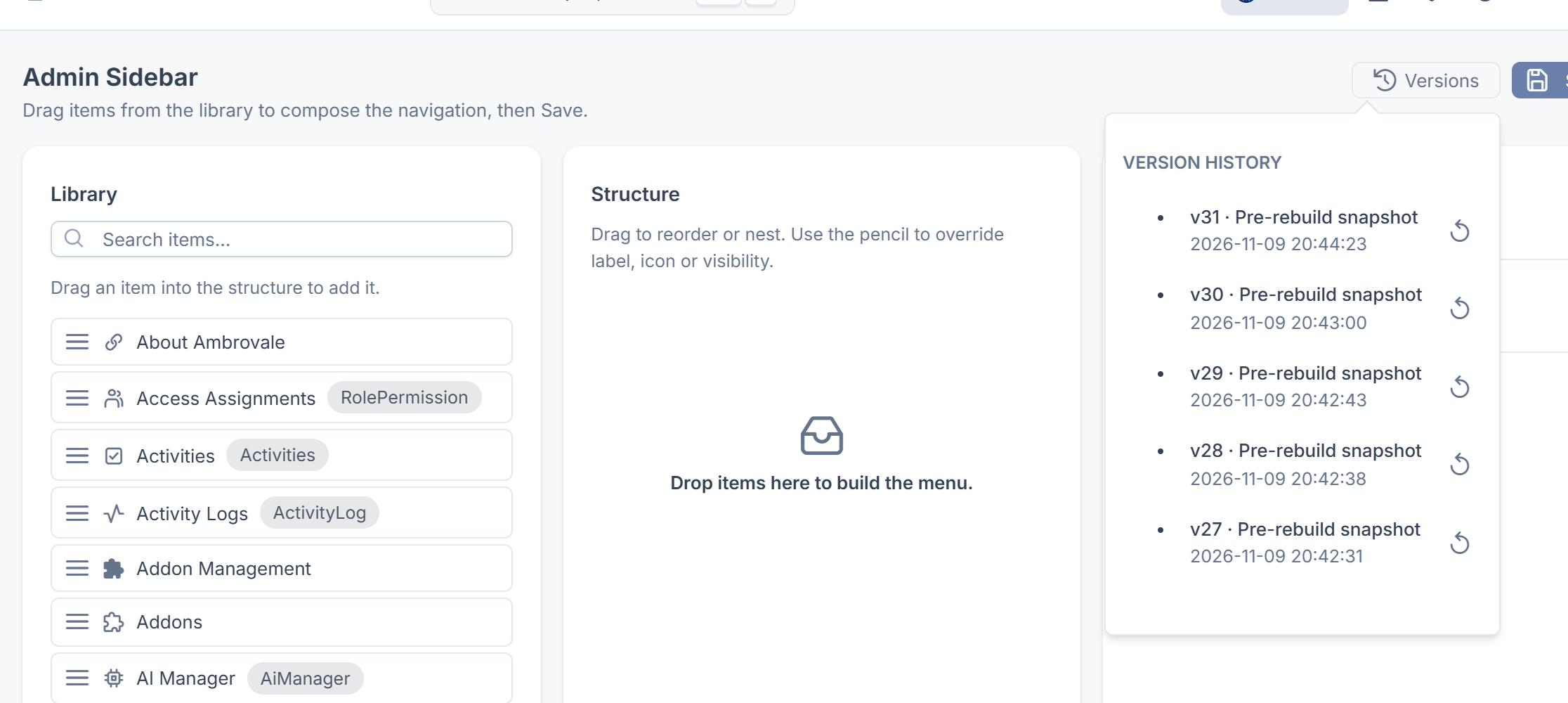
Select Versions. It's only shown once the sidebar has at least one version.
-
Under Version history, find the version you want by its number, label and date, for example v11 · Pre-rebuild snapshot.
-
Select it.
You see Sidebar restored to version 11.. The Structure and Live preview panels show the restored layout, and the menu changes for everyone. The restore is saved as a new version, such as v13 · Restored v11, so you can undo it the same way.
Careful: A version only remembers which library items were placed where. If a module was turned on again or upgraded after the version was made, its menu items were replaced by new copies, and restoring the old version leaves that module's items out of the menu: it doesn't find the new copies. Drag them back in from Library and save.
What happens next
- Check the menu with Live preview, then check it as someone with fewer permissions. See A menu item is missing or keeps coming back.
- To keep working from the restored layout, see Arrange a sidebar menu by drag and drop.
Thanks. That helps us decide what to write next.
Thanks for telling us what was missing.
You already answered for this article today. Thanks.
We got a lot of answers from your network just now. Try again in a few minutes.
We couldn't send that. Check your connection and try again.
Links in this article
Printed from help.laramin.in. The online article may have changed since.