Nothing appears in the Activity Log
User Activities or Login Activities stay empty, an action you expected is missing, Visitor Activities shows nothing, or older entries are gone. Find the cause and fix it.
- Applies to
- Activity Log 1.2 and later
- Who can do this
- Platform owner
- Permission
feature.activitylog. user.view
On this page
Symptom
One of these:
- User Activities or Login Activities stays empty, or new actions don't show up.
- An action you expected isn't in the list.
- Visitor Activities is empty, and every sign-in shows Session Expired.
- Entries you saw before are gone.
- A role's History tab in Roles & Permissions says History is not recorded or You can't read the audit log.

Find your symptom below.
Check these, in order
1. The module was installed from Addons before version 1.2.1
Before 1.2.1, installing Activity Log from Addons › Addon Management set it up in a way that recorded nothing.
Fix: Upgrade Activity Log to 1.2.1 or later. See Upgrade an add-on. Actions are recorded from then on. Actions from before the upgrade weren't recorded, so they can't be brought back.
2. Entries wait in the queue
If your Laramin uses a background queue, each entry is written by the queue worker. When no worker is running, entries wait and never appear.
Open Extra Utilities and look at Pending under Queue & Worker Status. A count that keeps growing means no worker is running.

Fix: Ask whoever manages your server to start the queue worker. The waiting entries then appear. Their Recorded On time is when the worker wrote them, not when the action happened.
If your server has no separate queue worker, the queue is worked through by your Laramin's scheduled jobs, once a minute. When those don't run, entries wait too. See Scheduled jobs don't run.
3. The action isn't one Laramin records
The Activity Log only holds what screens choose to record. These are never in it:
- failed sign-ins, which go to the security log,
- changes made in the Settings hub,
- changes on screens that don't record them,
- deleted Activity Log entries and ended sessions.
Fix: None in the Activity Log. For failed sign-ins, download the security log. See Security settings. For what is recorded, see What the Activity Log records, and how long it keeps it.
4. You're looking in the wrong list, or a filter hides it
- Sign-ins and sign-outs are only in Login Activities. Everything else is only in User Activities.
- Check the filter bar for a filter or saved view you forgot. Remove them all and look again.
- The Event filter only offers Create, Update, Delete and Mail. Other events, such as restoring a user, are only found by searching.
5. The storage provider was changed
The lists read from the Provider chosen on the Activity Logging settings panel. Entries written before a switch stay where they were written, so switching to MongoDB starts with an empty list. If MongoDB can't be reached, Laramin writes to and reads from MySQL instead.
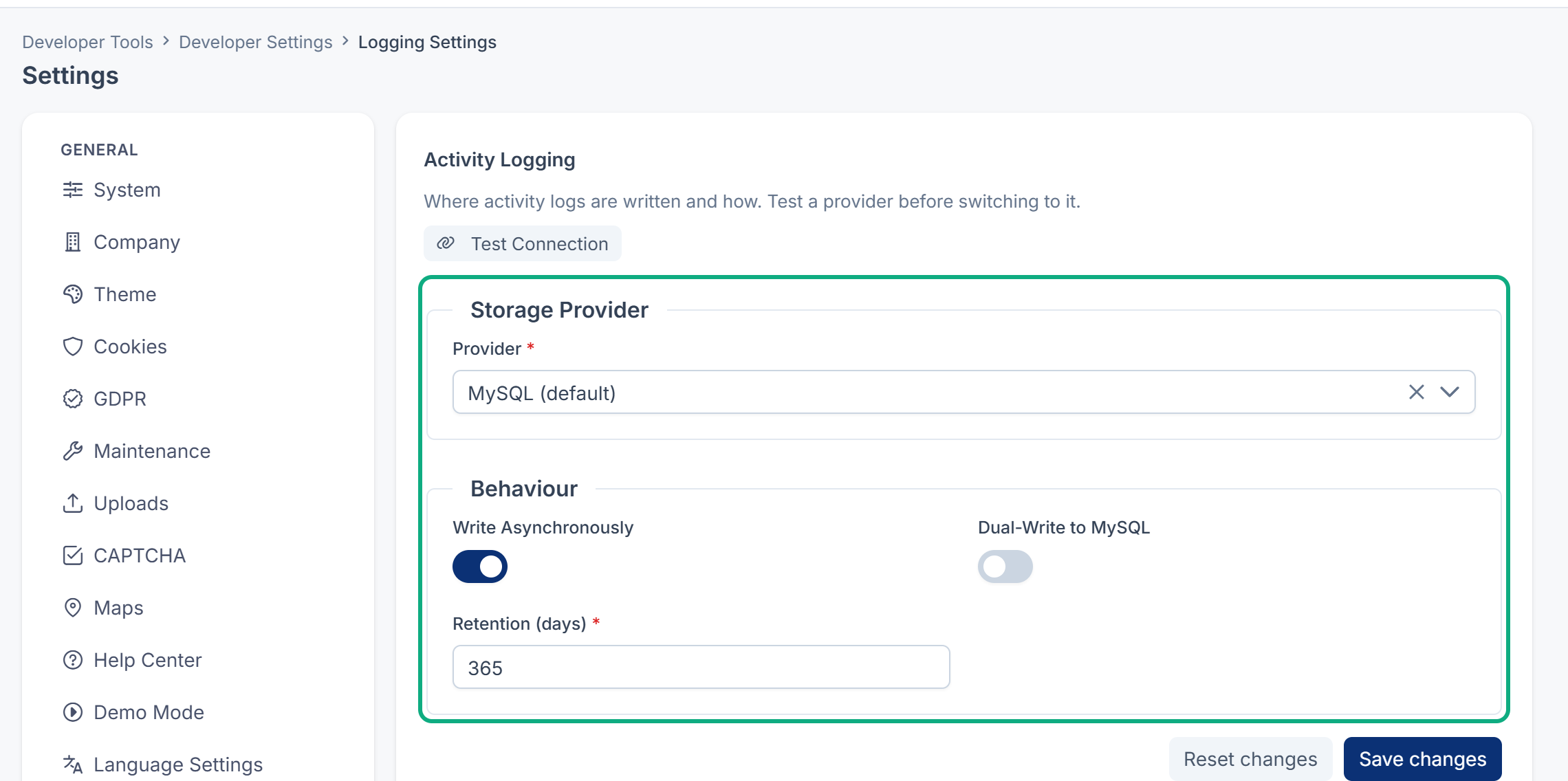
Fix: Switch back to see the older entries. To keep both stores complete while you use MongoDB, turn on Dual-Write to MySQL. See Delete entries and choose how long they're kept.
6. Visitor Activities is empty
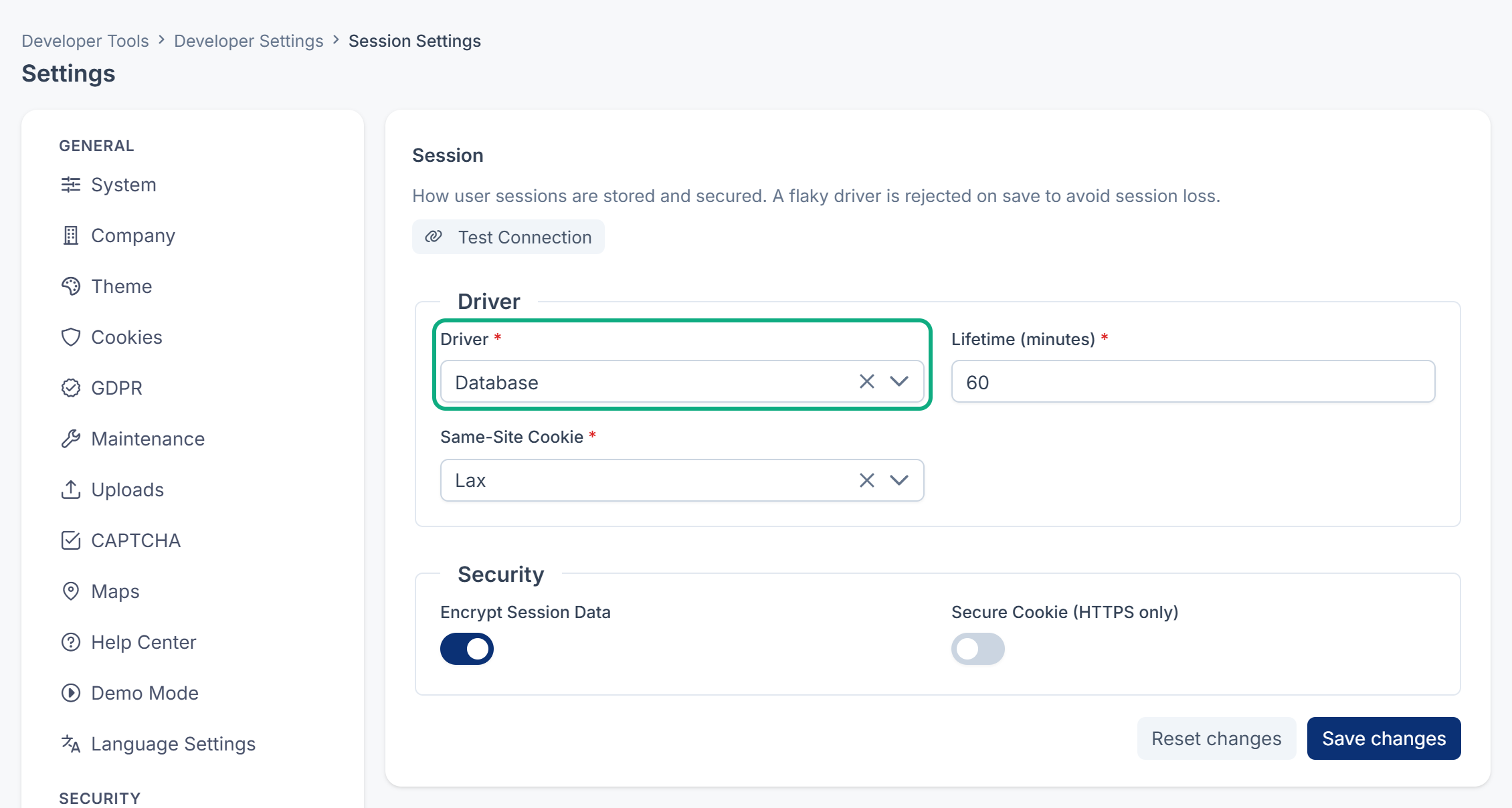
Visitor Activities and the Session column read the sessions your Laramin keeps in its database.
Fix: In the Settings hub, open the Session panel under Developer, and check that Driver is Database. Sessions started after the change are listed.
7. Older entries are gone
Laramin deletes entries older than Retention (days), 365 days by default, once a week. Someone with the delete permissions may also have deleted entries. Neither leaves a record.
Fix: Check Retention (days) on the Activity Logging panel. Deleted entries can't be brought back in the Activity Log. They may still be in a database backup made before they were deleted. Don't restore that backup over your live Laramin only for this, because it puts everything else back as it was then too. Ask whoever manages your server to read the entries from a copy.
8. A role's History tab is empty
The History tab reads the Activity Log. History is not recorded means Activity Log isn't installed or turned on. You can't read the audit log means you don't have View User Activity (feature.).
Fix: Turn on Activity Log, or ask for View User Activity. See Change or delete a role.
Still not working?
Raise a ticket from Support Center in your Laramin app. Include this page's link, the Activity Log version from Addons › Addon Management, the list you're looking at, and the action you expected to see, with its date and time.
Thanks. That helps us decide what to write next.
Thanks for telling us what was missing.
You already answered for this article today. Thanks.
We got a lot of answers from your network just now. Try again in a few minutes.
We couldn't send that. Check your connection and try again.
Links in this article
Printed from help.laramin.in. The online article may have changed since.