Payment Gateway settings and permissions
Every column on the Payment Gateways list, every field on the provider and manual gateway forms, and the permissions that control each screen.
- Applies to
- Payment Gateway 4.0 and later
- Who can do this
- Platform owner, Administrator
- Where
- Payment Gateway › Payment Gateways
On this page
The Payment Gateways list
Payment Gateway › Payment Gateways lists the gateways of the workspace you're in, sorted by name.
| Column | What it shows |
|---|---|
| Image | The gateway's logo. |
| Gateway Name | The name payers see. |
| Driver Key | The gateway's fixed internal name, for example razorpay. It's made from the name when the gateway is created and never changes, because payments and the callback URL refer to it. |
| Gateway Type | Automatic (a payment provider), Manual (a method you added) or Preloaded (a manual method that came with Payment Gateway). |
| Availability | Ready, Switched off, or Driver missing when the provider's add-on isn't installed and turned on. |
| Status | Active or Inactive. |
| Default | Whether new payments through this provider use this gateway, when the workspace has more than one for it. |
| Business | The workspace the gateway belongs to. Shown when you can see more than one workspace. |
| Supported Currencies | For a provider gateway, how many of its currencies are active. For a manual method, its one currency. |
Each row's actions menu has Edit, plus Update Supported Currencies for a provider gateway or Update Gateway Fields for a manual or preloaded method. Delete appears only for Manual methods.
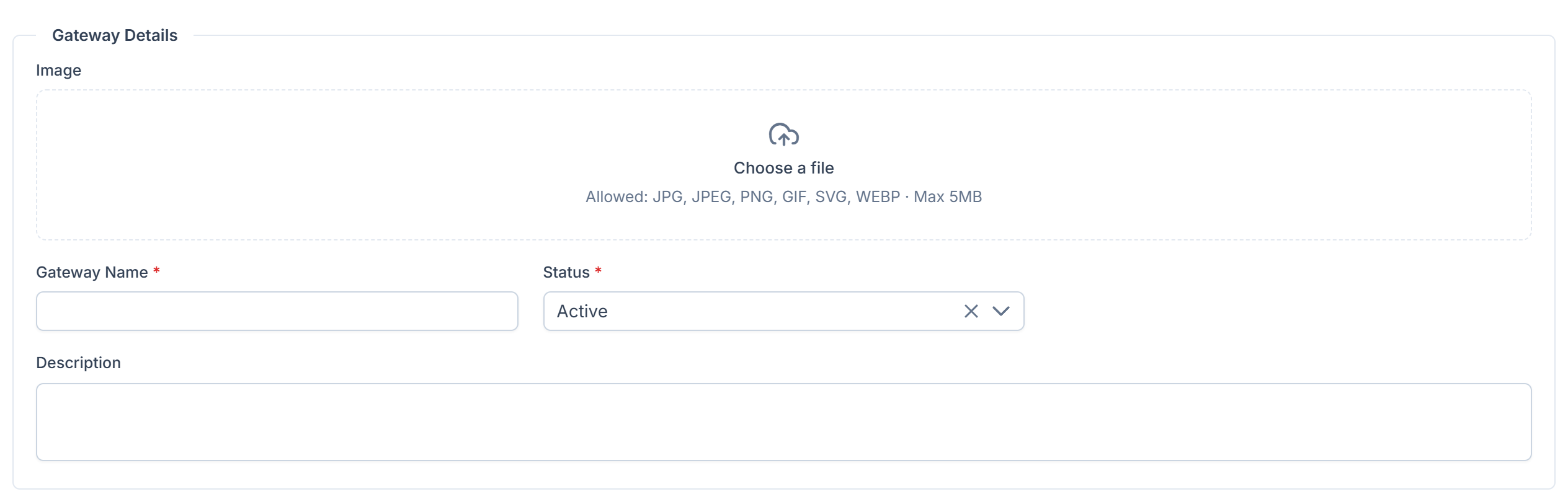
Gateway Details
On every gateway's form.
| Field | What it does | Rules |
|---|---|---|
| Image | The logo payers see. | Required when the gateway has none. |
| Gateway Name | The name payers see. | Required. Up to 40 characters. For a new method, it must be unique in the workspace, ignoring spaces and capitals. |
| Status | Active or Inactive. | Required. Active for a new method. |
| Default | Makes this the gateway new payments through this provider use. | Shown only when the workspace has another gateway for the same provider. |
| Description | A note about the method. | Manual and preloaded methods only. |
Credentials
On a provider gateway's form. The fields come from the provider's add-on. For Razorpay, see Set up Razorpay.
| Item | What it does |
|---|---|
| Chips at the top | What the provider can do, as its add-on reports it, for example webhooks or refunds. |
| Provider fields | The keys the provider gave you. Required ones are marked *. A saved secret shows Stored and is never shown again. Leave it blank to keep it. |
| Callback URL | This gateway's own address for the provider's confirmations. Read-only. Copy it into the provider's dashboard. |
If the provider's add-on isn't installed, the section shows Driver not installed instead of the fields. The saved keys are kept.
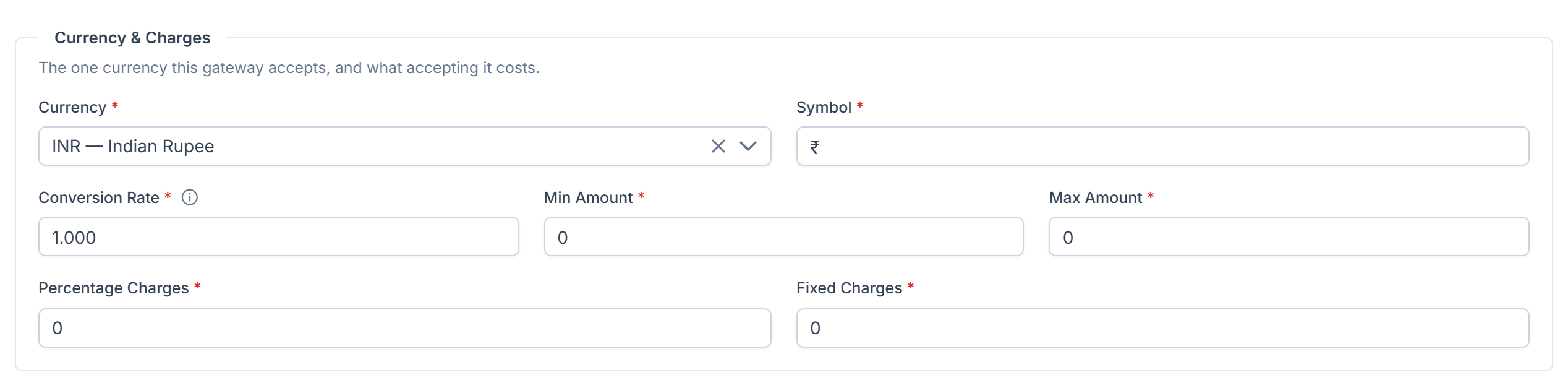
Currency & Charges
On a manual or preloaded method's form. The method accepts one currency.
| Field | Rules |
|---|---|
| Currency | Required. One of your active currencies. Starts on your default currency. |
| Symbol | Required. Up to 40 characters. |
| Conversion Rate | Required. 0 or more. Units of this currency per one unit of your default currency. |
| Min Amount | Required. 0 or more. |
| Max Amount | Required. At least Min Amount. |
| Percentage Charges | Required. From 0 to 100. |
| Fixed Charges | Required. 0 or more. |
[Confirm: in Payment Gateway 4.0.1 with Billing 2.0.0, the amounts, charges and rate are saved but not applied to any payment.] The same fields, per currency, are on a provider gateway's Update Supported Currencies screen. See Choose the currencies a gateway accepts.
Deposit Instructions
On a manual or preloaded method's form: what the payer is shown after choosing the method. Select Add Instruction for each row, and drag rows to reorder them.
| Field | Rules |
|---|---|
| Type | Text, Image or Link. |
| Title | Up to 255 characters. Required when Value is filled in. |
| Value | Up to 2,000 characters. Required when Title is filled in. |
Rows missing a type, title or value aren't saved.
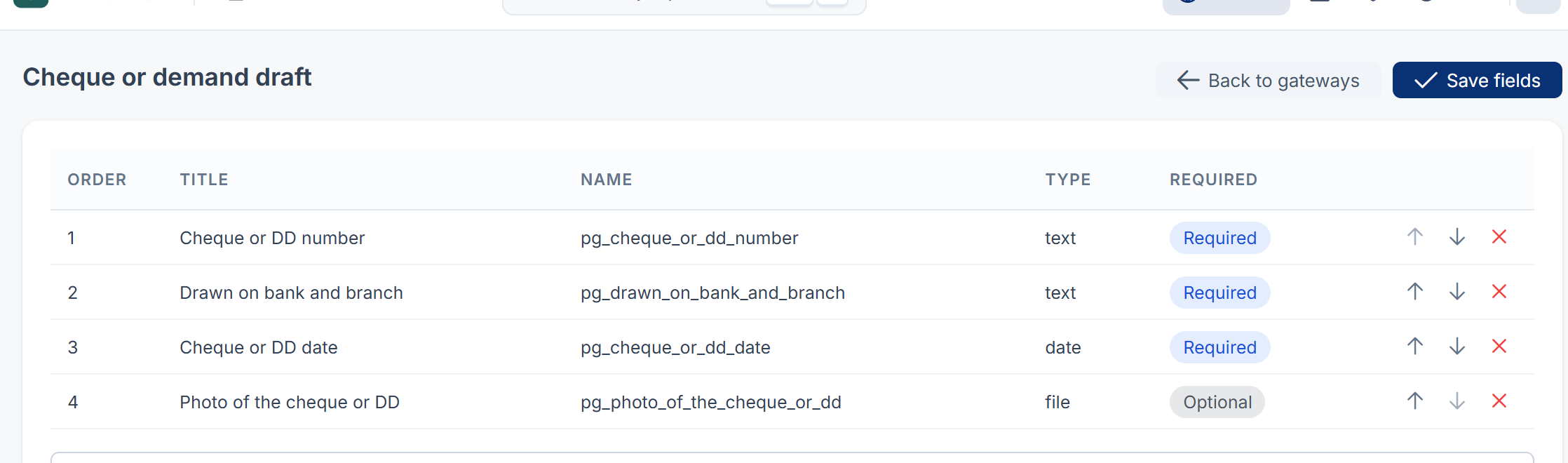
Payer fields
Update Gateway Fields on a manual or preloaded method. The custom fields the payer fills in, in order. See Add a manual payment method.
| Column | What it shows |
|---|---|
| Order | The position the payer sees it in. Change it with Move up and Move down. |
| Title, Name, Type | From the field's definition in Custom Fields. |
| Required | Required or Optional, from the field's definition. |
Permissions
In the role editor, these are under Currencies & Gateways. Payment Gateway has no roles of its own.
| Permission | Label | Allows |
|---|---|---|
feature. | List Gateway | Opening Payment Gateways, a gateway's form, its currencies and its payer fields. |
feature. | Create Gateway | Adding manual methods. |
feature. | Edit Gateway | Changing any gateway, its keys, its currencies and its payer fields. |
feature. | Delete Gateway | Deleting manual methods. Deleting is permanent. |

The permissions for payments, refunds and tax rules belong to Billing; see Billing permissions and server settings. To give these, see Give someone a role.
Thanks. That helps us decide what to write next.
Thanks for telling us what was missing.
You already answered for this article today. Thanks.
We got a lot of answers from your network just now. Try again in a few minutes.
We couldn't send that. Check your connection and try again.
Links in this article
Printed from help.laramin.in. The online article may have changed since.