A shared link shows no picture, or the wrong title
A link to your website shared on Facebook, WhatsApp, LinkedIn or X shows no picture, an old picture, or the wrong title or description. Find out where the preview comes from and fix it.
- Applies to
- SEO 1.1 and later
- Who can do this
- Administrator, Team member
- Permission
feature.seo. meta.edit - Where
- The SEO section of a Blog article or a Property CRM property
On this page
Symptom
Someone shares a link to a page on your website, and the preview card shows one of these:
- No picture.
- An old picture, title or description.
- The site's name and default description instead of the page's.
Check these, in order
1. The page has no SEO details of its own
A blog article or property that has never been saved with its SEO section has no share details. Your website then falls back to the site-wide defaults from SEO › SEO Settings, so every such page shares the same title and description.
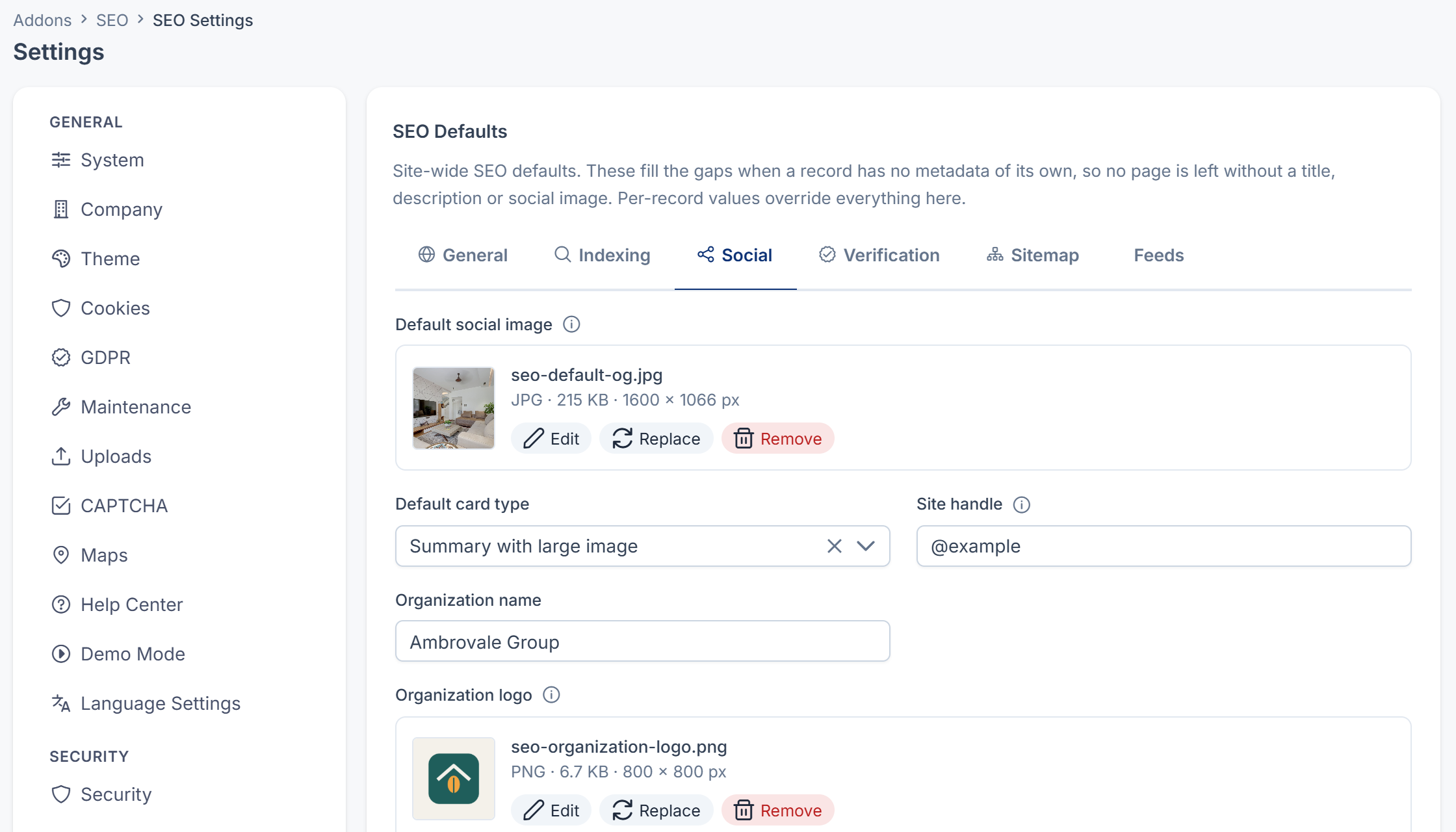
The picture is a further catch. In the site-wide data, the Default social image reaches your website as a file path inside your Laramin, not as a full address, and social networks can only load a full address. A page that has SEO details of its own gets the default image as a full address.
Fix: Open the article or property, fill in its SEO section, and add a Share image of 1200 x 630 pixels. Then save. See Set a page's search and share details.
2. The share fields fall back to something you didn't expect
Each share field falls back when it's empty: Share title to Meta title, Share description to Meta description, and Share image to the Default social image.
Fix: Fill in the share fields that should differ, and save.
3. The social network remembers the old preview
Social networks keep a copy of a link's preview for a while, so a change you made may not show yet.
Fix: Paste the address into the network's own preview tool, such as Facebook's Sharing Debugger or LinkedIn's Post Inspector, and ask it to fetch the page again.
4. The picture can't be reached from outside
Social networks fetch the picture themselves. They can't when:
- the site is a staging site behind a password or IP rule, or in maintenance;
- the picture is very small, or not a common image type such as JPG or PNG.
Fix: Test with a public page and a picture of 1200 x 630 pixels.
5. Your website doesn't send the share details
SEO only supplies the details. Your website must put them into each page as share tags.
Fix: Ask your website's developers to check that each page includes its share title, description and image from your Laramin. See How the SEO add-on works.
Still not working?
Raise a ticket from Support Center in your Laramin app. Include this page's link, the shared address, and what the preview shows.
Thanks. That helps us decide what to write next.
Thanks for telling us what was missing.
You already answered for this article today. Thanks.
We got a lot of answers from your network just now. Try again in a few minutes.
We couldn't send that. Check your connection and try again.
Links in this article
Printed from help.laramin.in. The online article may have changed since.