Edit a value directly in a list
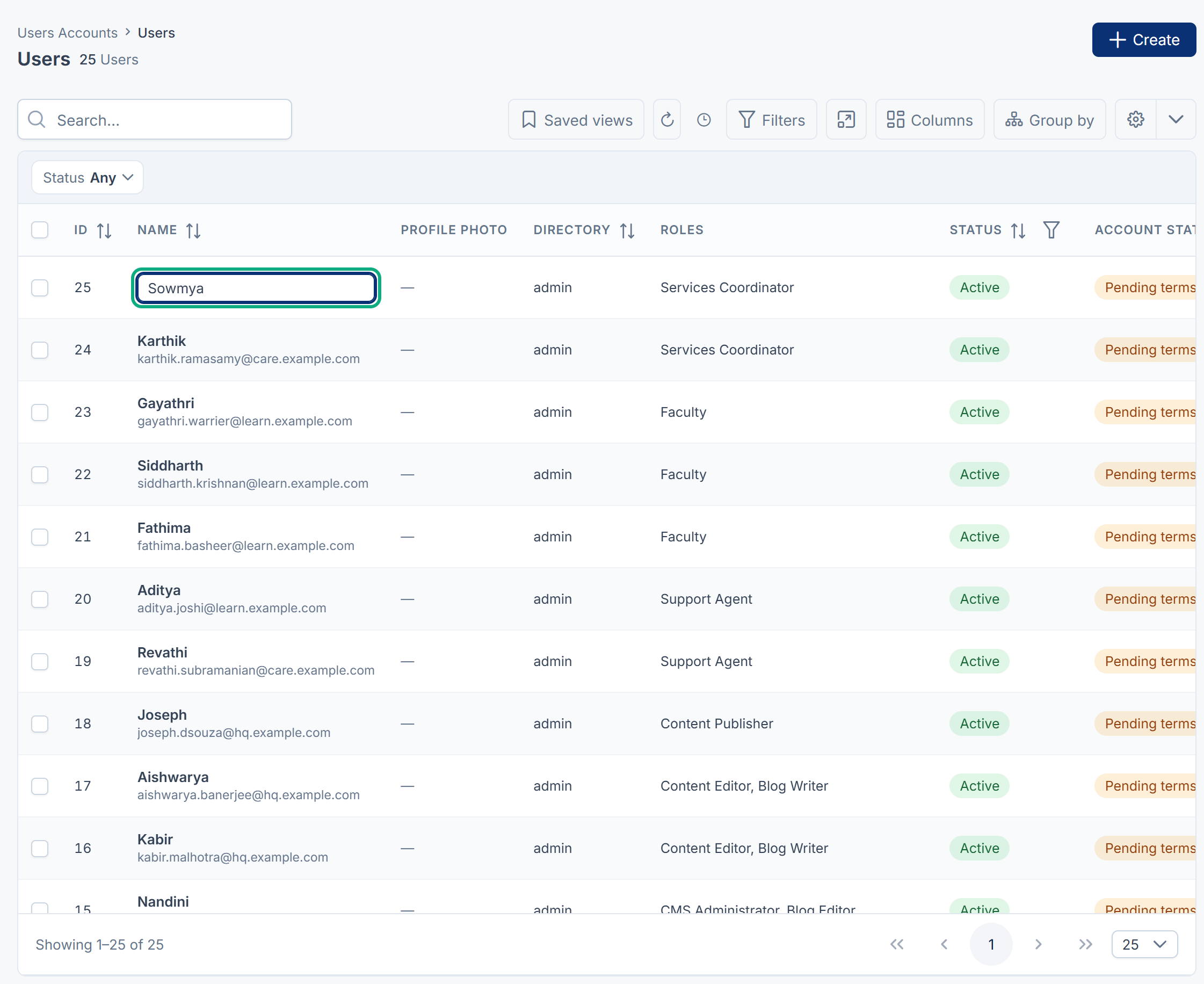
Change a single value in a list's cell without opening the record's form. Only some columns allow it, such as a user's name or a static option's order.
- Applies to
- Core 12.0 and later
- Who can do this
- Administrator, Team member
On this page
Before you start
-
Inline editing works only on columns the list marks as editable. In Core these are:
List Editable column Users Accounts › Users Name The options of a static field (Configurations › Master Settings › Static Fields, then Options) Order On other lists, select Edit on the row instead.
-
You need permission to edit that record, the same as for its form. For a user that's
feature..core. user.edit
Steps
- Open the list.
- Select the cell you want to change. It turns into a text box.
- Type the new value.
- Press Enter to save. Pressing Tab or selecting somewhere else also saves.
To leave the cell without saving, press Esc.
What happens next
The new value shows straight away, with a small spinner beside it while it saves. When it's saved, you see Updated and the list reloads.
If the value isn't accepted, for example a name that is too long, you see the reason, or Update failed, and the list reloads with the old value. The same rules apply as on the record's form.
Tip: On a static field's options, dragging rows is usually quicker than typing numbers in Order. See Manage static fields and their options.
Thanks. That helps us decide what to write next.
Thanks for telling us what was missing.
You already answered for this article today. Thanks.
We got a lot of answers from your network just now. Try again in a few minutes.
We couldn't send that. Check your connection and try again.
Links in this article
Printed from help.laramin.in. The online article may have changed since.