How Razorpay payments are confirmed
What happens when someone pays through Razorpay: the checkout, how Razorpay tells your Laramin the payment went through, the status checks that catch missed messages, refunds, and which currencies Razorpay accepts.
- Applies to
- Razorpay 1.0 and later
- Who can do this
- Platform owner, Administrator
On this page
In short
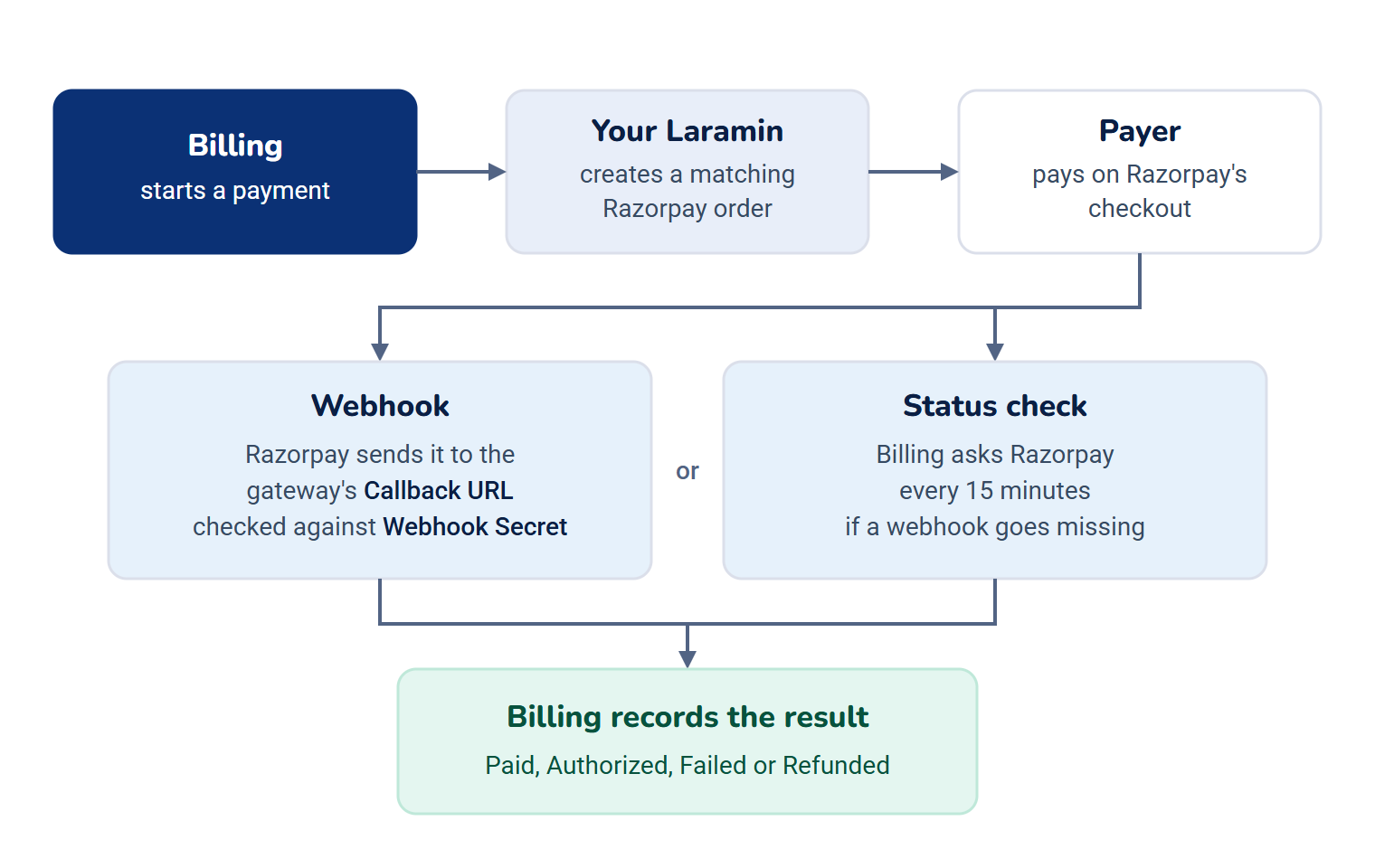
When a payer chooses Razorpay, they pay on Razorpay's own checkout. Your Laramin doesn't take the payer's word for it: a payment counts as paid only when Razorpay confirms it, either by sending your Laramin a signed message (a webhook), or when your Laramin asks Razorpay directly. The Billing add-on records the result.
How it works
The checkout
Billing 2.0.0 and Payment Gateway 4.0.1 include no checkout page or public payment address for payers. A payment starts only when another add-on or your website's own code asks Billing for one. Check with whoever built your website.
- Billing starts a payment and your Laramin creates a matching order in your Razorpay account, for the exact amount.
- Razorpay's checkout opens for the payer, with their name, email and phone filled in when your Laramin has them.
- The payer pays. The payment is now waiting for Razorpay's confirmation.
The order itself carries only the payment's own references. The payer's details are used only to fill in the checkout. Your Key Secret never leaves your Laramin.
Confirmation by webhook
Razorpay sends a message to your Razorpay gateway's Callback URL whenever a payment or refund changes. Your Laramin checks each message's signature with the Webhook Secret before it believes it.
| Razorpay event | What your Laramin records |
|---|---|
payment.captured, order.paid | Paid |
payment. | Authorized: the money is held, but not yet taken |
payment.failed | Failed, with Razorpay's reason |
refund.processed | Refunded |
refund.failed | The refund failed, so the payment stays paid |
- A message whose signature doesn't match is kept but never acted on. So is every message while Webhook Secret is empty.
- Razorpay sometimes sends the same message twice. Your Laramin recognizes repeats and acts only once.
- Other Razorpay events are kept for the record but never change a payment.
- Your Laramin always tells Razorpay it received a message, even one it rejected. So Razorpay's dashboard can show deliveries as successful while your Laramin ignores them. See Razorpay payments stay pending.
Status checks
If a webhook goes missing, Billing asks Razorpay about waiting payments itself, every 15 minutes. When a payer tried more than once on the same order, the successful attempt counts. Checkouts left unpaid are closed out once their time runs out, checked every hour.
These checks run only while your Laramin's scheduled jobs run. Developer Tools › Scheduler shows when each job last ran. If they don't run, see Scheduled jobs don't run.
Authorized payments
Your Laramin doesn't capture payments itself. If your Razorpay account is set to capture payments by hand, payments stay Authorized in your Laramin until you capture them in the Razorpay dashboard. Set your Razorpay account to capture payments automatically.
Refunds
You refund a Razorpay payment from Billing's Payments list, which refunds the whole payment. Razorpay often accepts a refund and sends the money hours later. Until it does, the refund shows as pending, not done. Retrying a refund that timed out doesn't refund twice.
Currencies
Razorpay accepts these currencies in your Laramin: INR, USD, EUR, GBP, SGD, AED, AUD, CAD, JPY and MYR. For other currencies, payers aren't offered Razorpay at all. The Razorpay gateway must also have the currency Active on its Update Supported Currencies screen. See Choose the currencies a gateway accepts.
Amounts go to Razorpay exactly as charged, including for currencies without cents, such as JPY.
What your Laramin keeps
From Razorpay's replies, your Laramin keeps only what it needs to track the payment: references, status, amount, currency, payment method and error details. It never keeps the payer's card details, email, phone or UPI handle from Razorpay.
What happens when Razorpay is turned off
If you turn off the Razorpay add-on, payers aren't offered Razorpay any more, and past Razorpay payments still show in Billing. Messages Razorpay sends meanwhile are kept but not acted on. Your saved keys stay on the gateway for when you turn it back on.
Thanks. That helps us decide what to write next.
Thanks for telling us what was missing.
You already answered for this article today. Thanks.
We got a lot of answers from your network just now. Try again in a few minutes.
We couldn't send that. Check your connection and try again.
Links in this article
Printed from help.laramin.in. The online article may have changed since.