Deal roles: buyer, seller, tenant, landlord and more
A client's deal role says what they do in a deal. Property CRM works with two, Buyer and Seller, and here's how tenants, landlords, brokers and builders fit around them.
Why this step
Your team chooses Buyer or Seller on every client. The forms only offer clients with the right role, so it matters from the first day.
Today you only need:
- Applies to
- Property CRM 5.0 and later
- Who can do this
- Administrator, Team member
In short
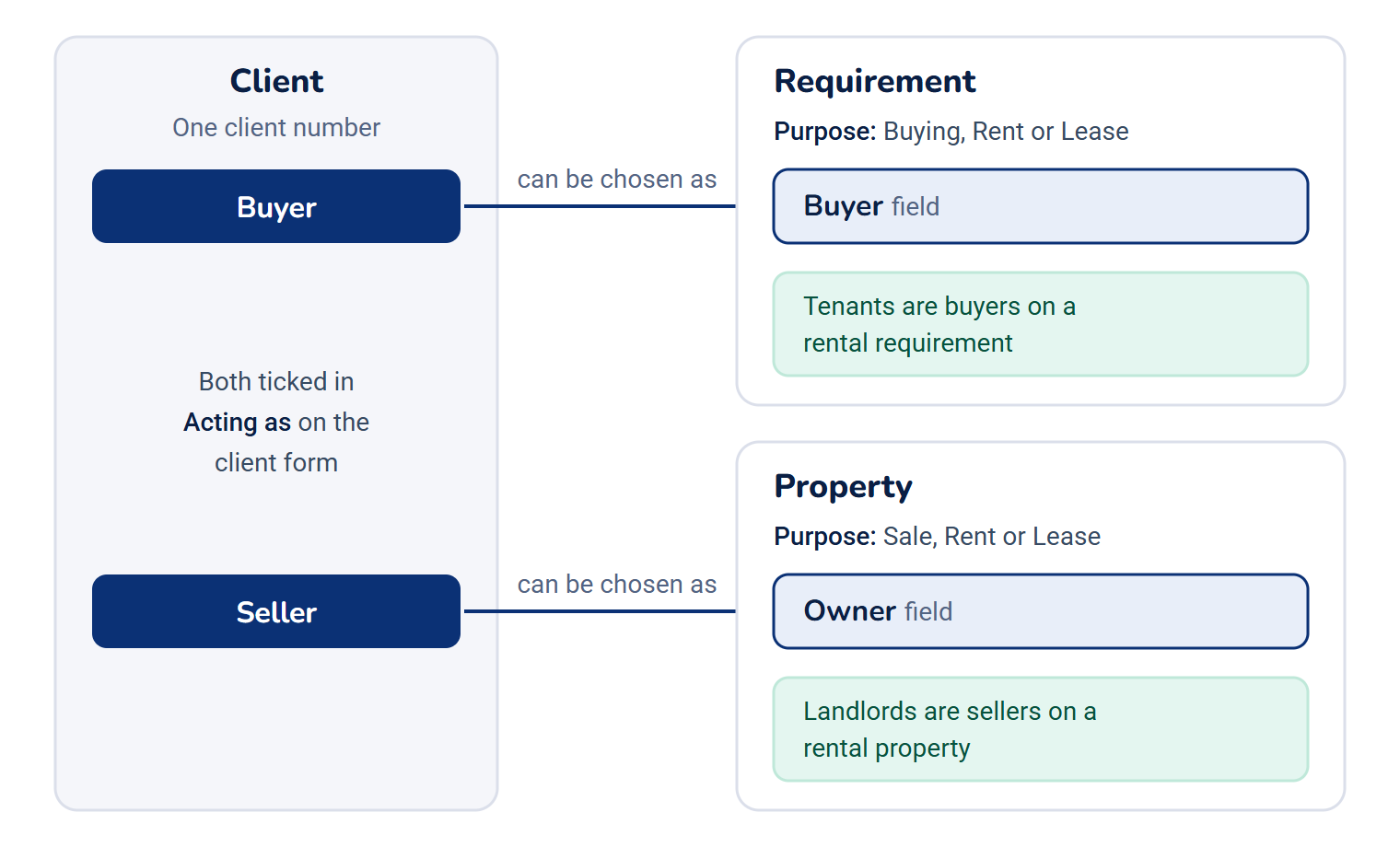
A deal role says what a client does in a deal with your business. Property CRM uses two: Buyer, for someone looking for a property, and Seller, for someone offering one. One client can hold both, on different deals, under one client number. Tenants are recorded as buyers on a rental requirement, and landlords as sellers on a rental property.
Deal roles belong to your business. If another business on your Laramin works with the same person as a Seller, that role doesn't show on your client, and the Clients list doesn't find them by it.
How it works
Buyer and Seller
You choose a client's roles in Acting as on the client form. It offers Buyer and Seller, and you can tick both.
| Role | What it lets you do | How a client gets it |
|---|---|---|
| Buyer | The client can be chosen as the Buyer on a requirement. | You tick it on the client form, you create the buyer from the requirement form with New buyer, or you convert one of their inquiries. |
| Seller | The client can be chosen as the Owner of a property. | You tick it on the client form, or you create the owner from the property form with New owner. |
The Buyer and Owner pickers only list clients who hold the matching role. If you use New owner or New buyer with a mobile number Laramin already knows, Laramin says This person is already on record — they have been linked. and adds the role to them. Their other roles stay.
A client with neither role shows No role yet in the Clients list. That's normal, for example for someone you've only recorded as a referrer.
Renting and leasing
The roles don't change with the kind of deal. The purpose does.
| In the real world | In Property CRM |
|---|---|
| A tenant looking for a flat to rent | A client with Buyer, on a requirement with Purpose set to Rent |
| A landlord letting out a flat | A client with Seller, as the Owner of a property with Purpose set to Rent |
| A company taking an office on lease | A client with Buyer, on a requirement with Purpose set to Lease |
Roles, Client Type and Property From
Three fields can look alike. Each answers a different question.
| Field | Where | The question it answers | Options |
|---|---|---|---|
| Acting as | Client | What does this client do in a deal? | Buyer, Seller |
| Client Type | Client | What kind of party are they to your business? | Direct Client, Agent, Builder, Promoter, Investor |
| Property From | Property | Who did the listing come through? | Direct Client, Builder, Mediator, Promoter, Investor |
| Client From | Requirement | Who did the buyer come through? | The same options as Property From |
A builder who sells flats in their own project, for example, has Client Type Builder and the Seller role. Client Type, Property From and Client From are lists you can add your own options to. See Manage static fields and their options.
The other deal roles
Property CRM also gives your Laramin seven more deal roles: Landlord, Tenant, Broker, Builder, Promoter, Land owner and Investor. They're there so other parts of your Laramin can use the same words. Builder and Promoter can only be given to an organization.
You can't choose them in Acting as, and Property CRM's screens don't show them or act on them. An administrator can give them to a party in the Organization add-on. See Give a party a role, or end one.
Taking a role away
Untick the role in Acting as and select Save. Records that already name the client keep their name. But a property whose owner no longer holds Seller can't be saved again until you choose another owner or give the role back: Laramin says The owner must be a client who holds the Seller role. A requirement says The buyer must be a client who holds the Buyer role.
How it relates to
- Property CRM roles, such as Agent or Manager, are a different thing: they decide what a member of your team can do in Laramin, not what a client does in a deal. See Give people a Property CRM role.
Next steps
Links in this article
Printed from help.laramin.in. The online article may have changed since.