You see "Session Expired" or "Page Expired", or you're signed out
Laramin shows Page Expired or Session Expired, sends you back to Sign-In, or a link from an email opens Sign-In instead of the page. Find out why, and what an administrator or platform owner can change.
- Applies to
- Core 12.7 and later
- Who can do this
- Team member, Administrator, Platform owner
- Where
- Developer Tools › Developer Settings › Session Settings
On this page
Symptom
One of these:
| You see | Go to |
|---|---|
| A Page Expired message when you select Sign in, or when you save a form | 1 or 2 |
| A full page 419 · Session Expired, Security Token Mismatch: "Your session has timed out due to inactivity. Please refresh the page and try submitting the form again." | 1 or 2 |
| The screen goes straight back to Sign-In, with no message | 1 or 3 |
| A link from an email, the Help Center or another website opens Sign-In, and reloading doesn't help | 4 |
| Page Expired every time anyone signs in, however quickly | 5 |
| The impersonation window ended, so you are back in your own account. | 6 |
Check these, in order
1. You were away longer than the session lifetime
Laramin ends a session that has been idle for the session lifetime. That's 60 minutes unless your administrator changed it. After that:
- A screen you had open goes back to Sign-In the next time it loads anything.
- A form you had open, including the sign-in form itself, answers Page Expired when you submit it.
Fix: Reload the page and sign in again. Then fill in the form again: Laramin doesn't keep what you typed in a form that expired.
Someone who can edit Security settings can change the lifetime, from 5 to 480 minutes, in Session lifetime (minutes). See Security settings.
2. The page sat open too long
Every page carries a security token that belongs to your session. When the session ends, the token on the page stops working, even if you sign in again in another tab. That's why Page Expired often appears on a sign-in page that was left open overnight.
Fix: Reload the page first, then submit.
3. Your session was ended on purpose
You're also signed out, without a message, when:
- you signed out in another tab of the same browser
- you changed your password, which signs out your other sessions
- you, or someone using your account, selected Log Out Others under Sessions & devices
Fix: Sign in again. If you didn't do any of these, change your password and check your sessions. See Sign out of other sessions and devices.
4. Links from other sites open Sign-In (platform owner)
Following a link to Laramin from an email, the Help Center or another website opens Sign-In, and you're really signed out: reloading stays on Sign-In. Signing in with a social account fails too, except with Apple.
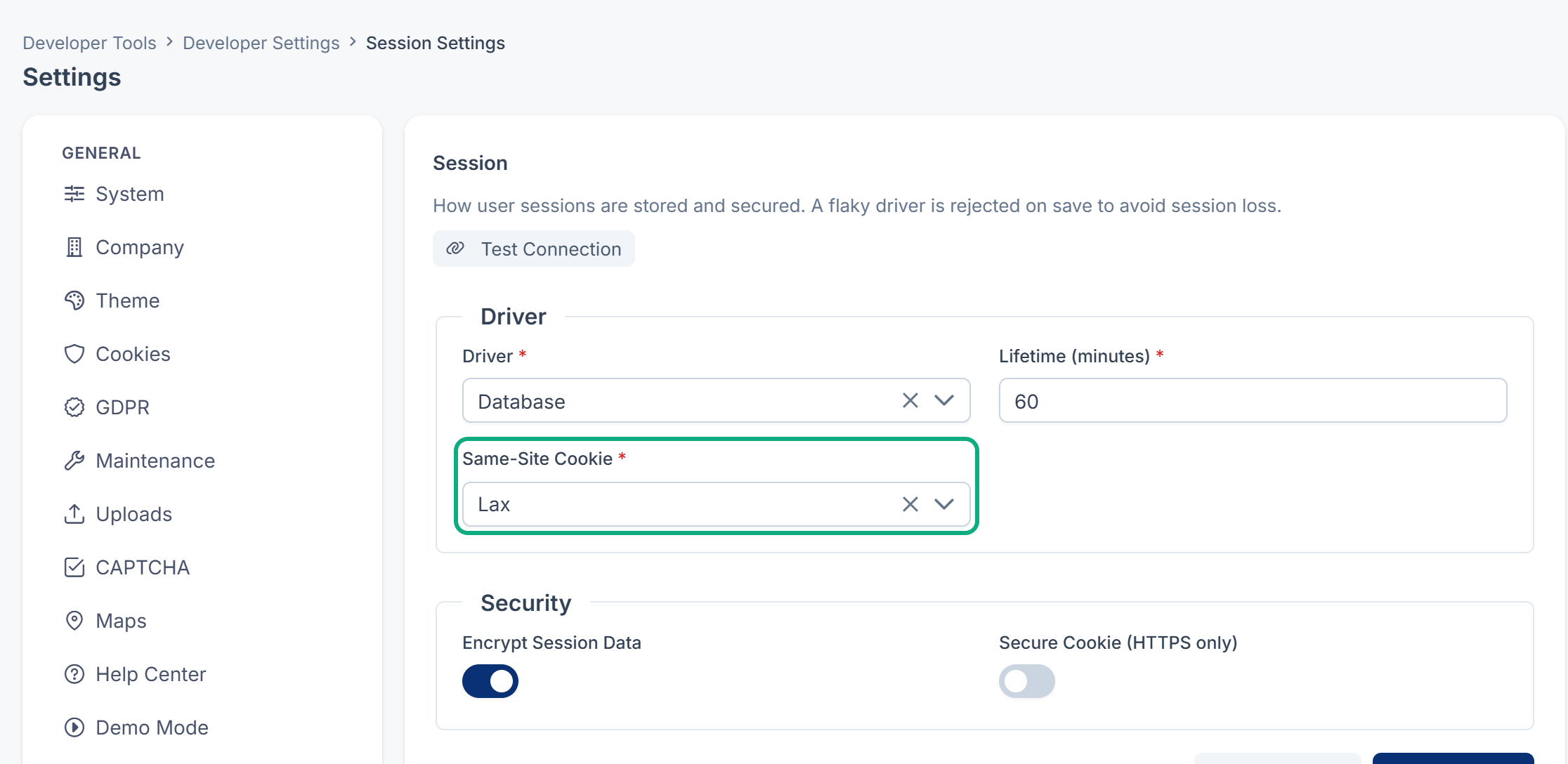
This happens when Same-Site Cookie is set to Strict. The browser then holds back Laramin's session cookie on any visit that starts on another site. A Laramin installed with Core 12.8.1 or earlier keeps Strict until someone changes it. Installations from Core 12.8.2 start with Lax, which keeps people signed in when they follow a link.
Fix: A platform owner opens Developer Tools › Developer Settings › Session Settings (the panel is titled Session), sets Same-Site Cookie to Lax, and selects Save changes. Laramin answers Settings saved. Skip this only if your team chose Strict on purpose. Upgrading Laramin doesn't change this setting for you.
Careful: Changing SESSION_ in your server's settings file doesn't help while a value is saved on the Session panel: the saved value wins. See A setting or a change to the settings file doesn't take effect.
5. Nobody can sign in at all (platform owner)
Everyone gets Page Expired as soon as they sign in. The browser refuses Laramin's session cookie, so no session survives. Check the Session panel (Developer Tools › Developer Settings › Session Settings):
- Secure Cookie (HTTPS only) is on, but people open Laramin on an address that starts with
http://. A browser only sends a secure cookie over HTTPS. - Same-Site Cookie is None while Secure Cookie (HTTPS only) is off. Browsers refuse a None cookie that isn't secure.
Fix: Serve Laramin over HTTPS, which is the better fix. Otherwise, turn Secure Cookie (HTTPS only) off, or choose Lax, from a browser where someone is still signed in.
If nobody can sign in to change it, ask whoever runs your server to switch the secure cookie off in the database, then clear Laramin's cache:
Couldn't copy. Select the code and press Ctrl+C (⌘+C on a Mac).
UPDATE general_settings SET value = 'false' WHERE name = 'session_secure_cookie';Couldn't copy. Select the code and press Ctrl+C (⌘+C on a Mac).
php artisan cache:clearIf several servers share the work behind a load balancer, also check Driver on the same panel. A File session lives on one server only, so people seem to be signed out at random. Use Database. The panel tests a driver before it saves it.
6. An impersonation ended
When you sign in as another user, the impersonation ends when its time runs out, and Laramin signs you back in as yourself. See Sign in as another user.
Still not working?
Raise a ticket from Support Center in your Laramin app. Include this page's link, the exact message, and the address you opened Laramin at.
Thanks. That helps us decide what to write next.
Thanks for telling us what was missing.
You already answered for this article today. Thanks.
We got a lot of answers from your network just now. Try again in a few minutes.
We couldn't send that. Check your connection and try again.
Links in this article
Printed from help.laramin.in. The online article may have changed since.