Language fields, settings and permissions
Every field on the language form and column of the Languages list, the Translation Strings editor, the Language Settings panel, and the permissions for each screen and action.
- Applies to
- Language 1.3 and later
- Who can do this
- Platform owner, Administrator, Developer
- Where
- Languages
On this page
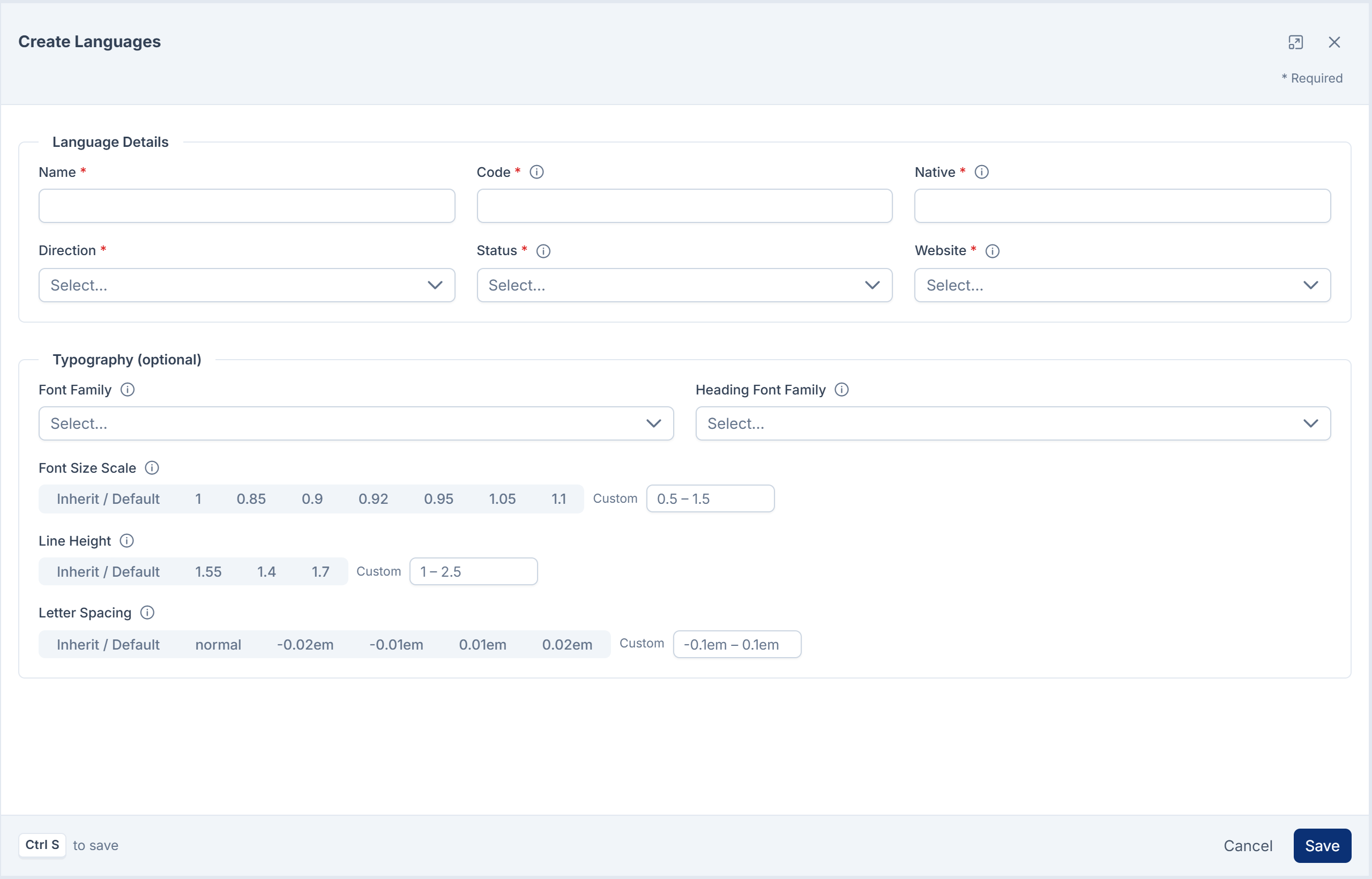
The language form
Languages, then New Languages or a row's Edit. See Add a language.
| Section | Field | What it does | Rules |
|---|---|---|---|
| Language Details | Name | The language's name in English. | Required. Up to 255 characters. |
| Language Details | Code | The two-letter code that ties the language to its translation files, people's choice and translated content. | Required. Exactly 2 lowercase letters, unique. Can't be changed after the language is added. |
| Language Details | Native | The language's name in its own script, shown in the language lists. | Required. Up to 255 characters. |
| Language Details | Direction | LTR (left to right) or RTL (right to left). | Required. |
| Language Details | Status | Enabled: staff can use Laramin's screens in this language. Disabled: they can't. | Required. |
| Language Details | Website | Published: you can write content in this language, and your website is offered it. Not published: it isn't. | Required. |
| Typography (optional) | Font Family | The font for this language's script. Blank uses the admin theme's font. | One of the fonts offered. |
| Typography (optional) | Heading Font Family | A different font for headings. Blank uses Font Family. | One of the fonts offered. |
| Typography (optional) | Font Size Scale | Makes all text a little bigger or smaller, for example 0.94 for a script that looks large. | From 0.5 to 1.5. Blank means no change. |
| Typography (optional) | Line Height | Space between lines of body text, for example 1.6. | From 1 to 2.5. Blank uses the theme's. |
| Typography (optional) | Letter Spacing | Space between letters, such as normal or 0.01em. | Leave blank for Indian scripts and Arabic, where spacing breaks the letters' shapes. |
The Languages list
| Column | What it shows |
|---|---|
| Name, Code, Native | As set on the form. |
| Direction | LTR or RTL. |
| Status | Enabled or Disabled. |
| Website | Published or Not published. |
| Updated At | When the language was last changed. |
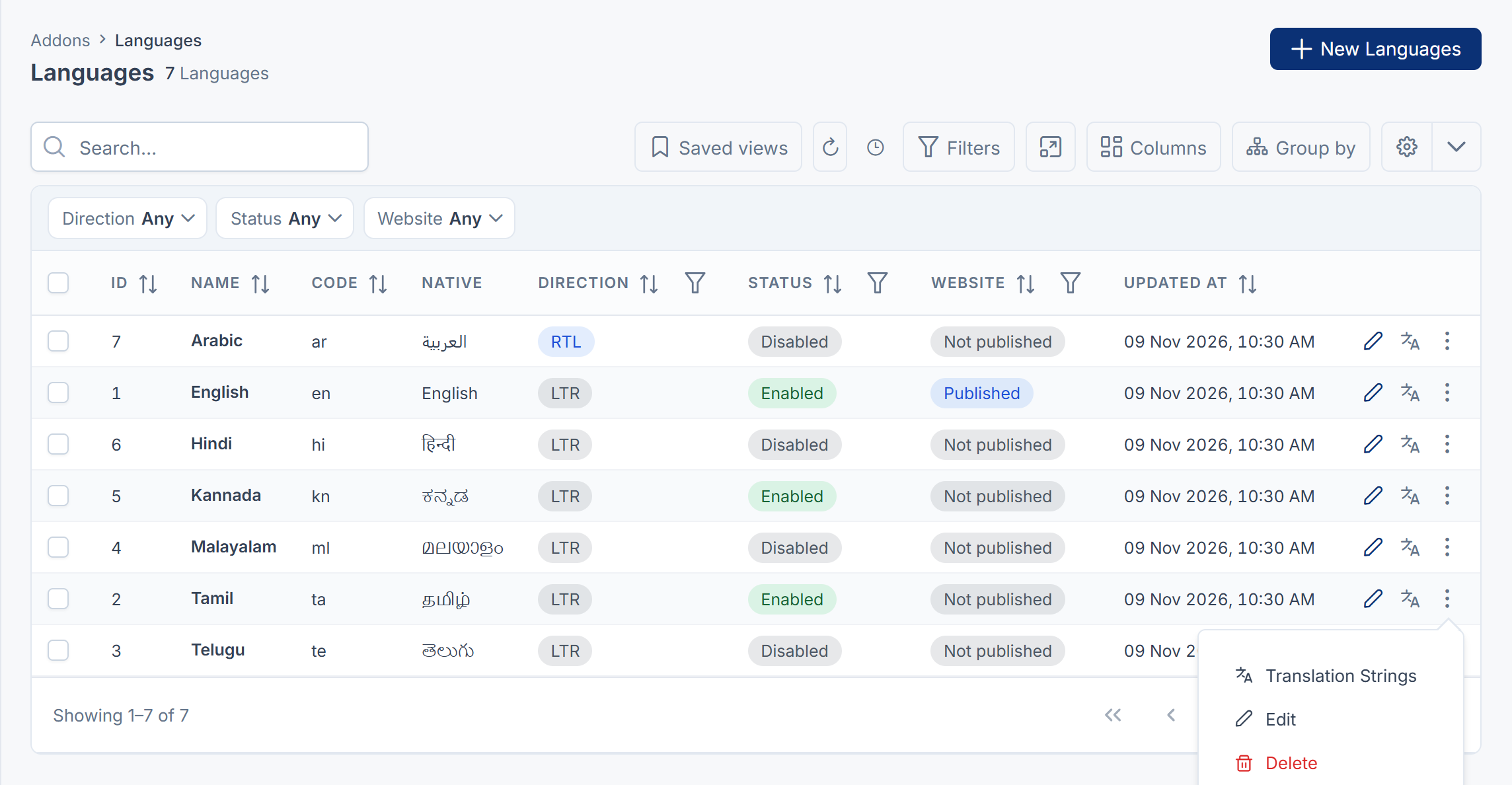
Each row has a Translation Strings link and, in its actions menu, Edit and Delete. English has no Delete.
The Translation Strings editor
A language's Translation Strings link. See Translate screen text.
| Control | What it does |
|---|---|
| File / Module | Which set of screen text to edit: Core / Default for Laramin itself, or name Module for an add-on. |
| Search | Finds rows by key or English text. |
| Untranslated only | Shows only rows with no translation. |
| done of total translated | How many rows in this set have a translation. |
| Key, Source (English), Translation | The text's key, its English wording, and your translation. |
| Save changes | Saves the rows you changed. |
| Back to Languages | Returns to the list. |

Translations for Core / Default are saved in Laramin's own file for the language. Translations for an add-on are saved in a separate file per add-on and language, which is used ahead of the add-on's own translations.
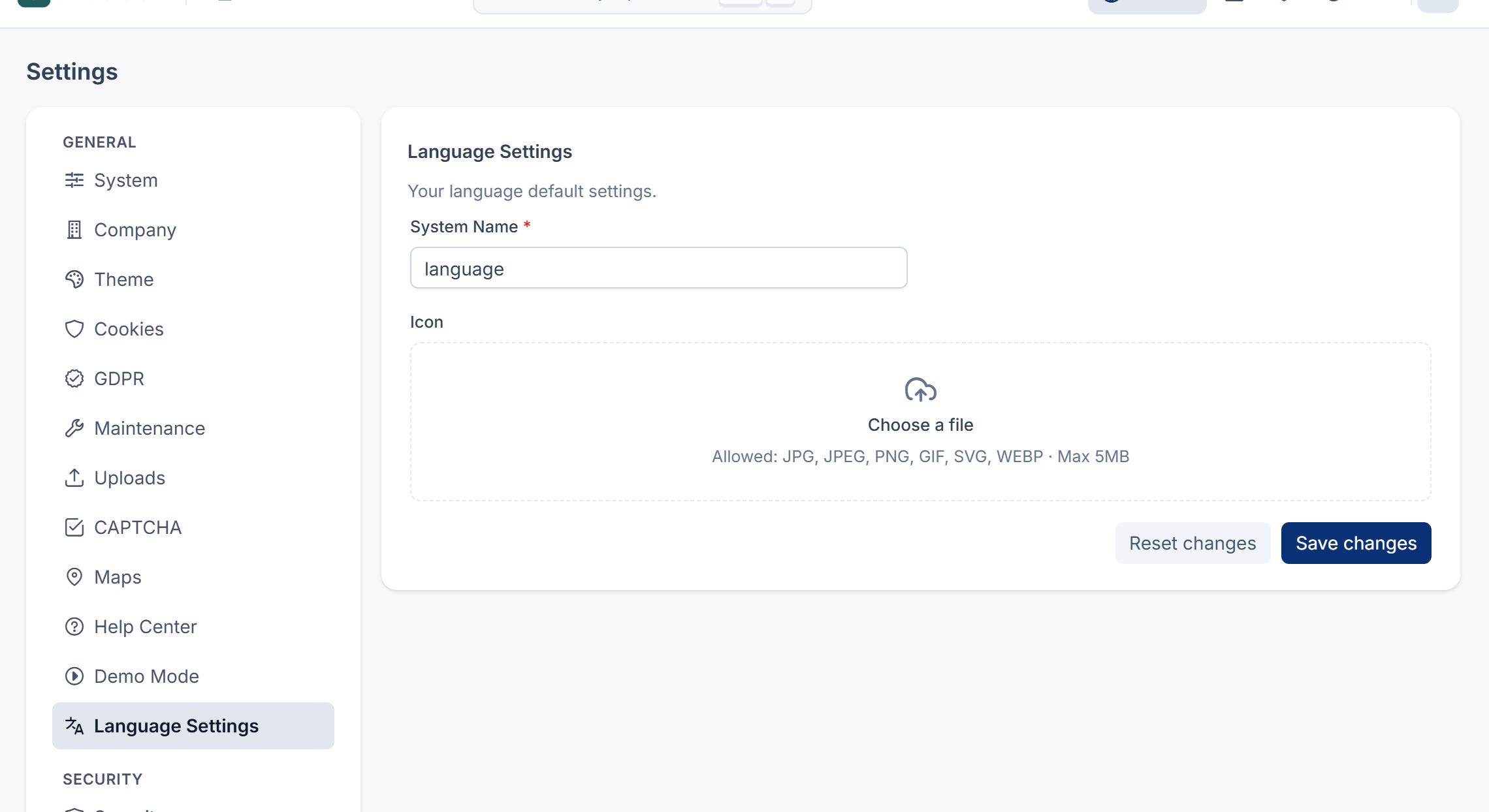
Language Settings
The Language Settings panel, under General in the Settings hub, has two fields: System Name (required, at least 5 characters) and Icon. Nothing in your Laramin uses these two settings, so you can leave them as they are.
The public list of languages
While the Language add-on is on, your website and apps can read the languages set to Published from your Laramin's public reference API, at /api/. Each entry gives the language's name, code, native name and direction, whether it's the Default Language, and its typography. Languages that aren't published aren't listed.
Permissions
In the role editor, the permissions are under Languages.
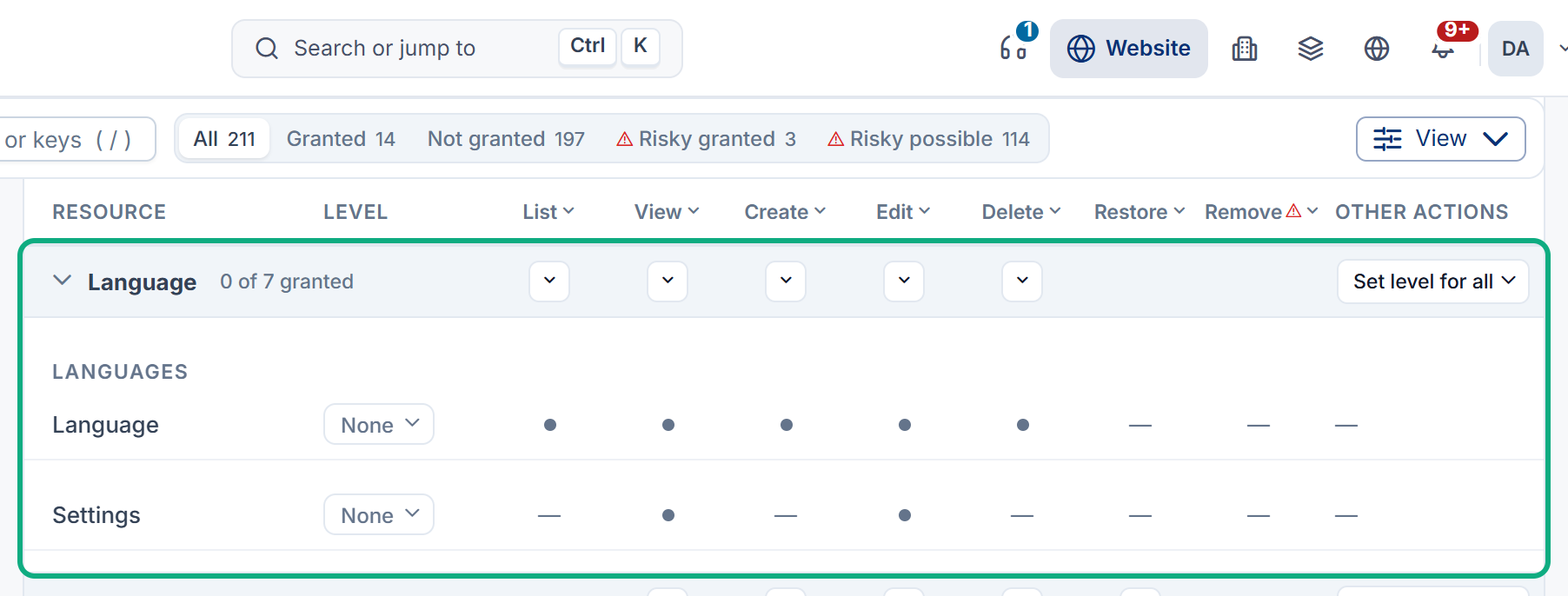
| Permission | Label | Allows |
|---|---|---|
feature. | List Language | Opening Languages. |
feature. | View Language | Opening a language's Translation Strings, read-only. |
feature. | Create Language | Adding languages. |
feature. | Edit Language | Changing languages, including Status and Website, and saving translations in Translation Strings. |
feature. | Delete Language | Deleting languages. |
feature. | View Settings | Opening Language Settings. |
feature. | Edit Settings | Saving Language Settings. |
Translating a record's content needs permission to edit that record, not a Language permission. Everyone who can sign in can choose their own interface language.
Careful: Edit Language changes what your public website offers, through Website, and every word on Laramin's screens, through Translation Strings. Give it only to people you trust with both.
To give these permissions, see Give someone a role.
Thanks. That helps us decide what to write next.
Thanks for telling us what was missing.
You already answered for this article today. Thanks.
We got a lot of answers from your network just now. Try again in a few minutes.
We couldn't send that. Check your connection and try again.
Links in this article
Printed from help.laramin.in. The online article may have changed since.