How languages work in your Laramin
The Language add-on keeps the list of languages your Laramin offers. Each language has two switches: one for the screens your staff use, one for your content and website. Screen text and content are translated in different places.
- Applies to
- Language 1.3 and later
- Who can do this
- Platform owner, Administrator
On this page
In short
The Language add-on keeps the list of languages your Laramin offers, in Languages in the sidebar. It starts with seven: English, Tamil, Telugu, Malayalam, Kannada, Hindi and Arabic.
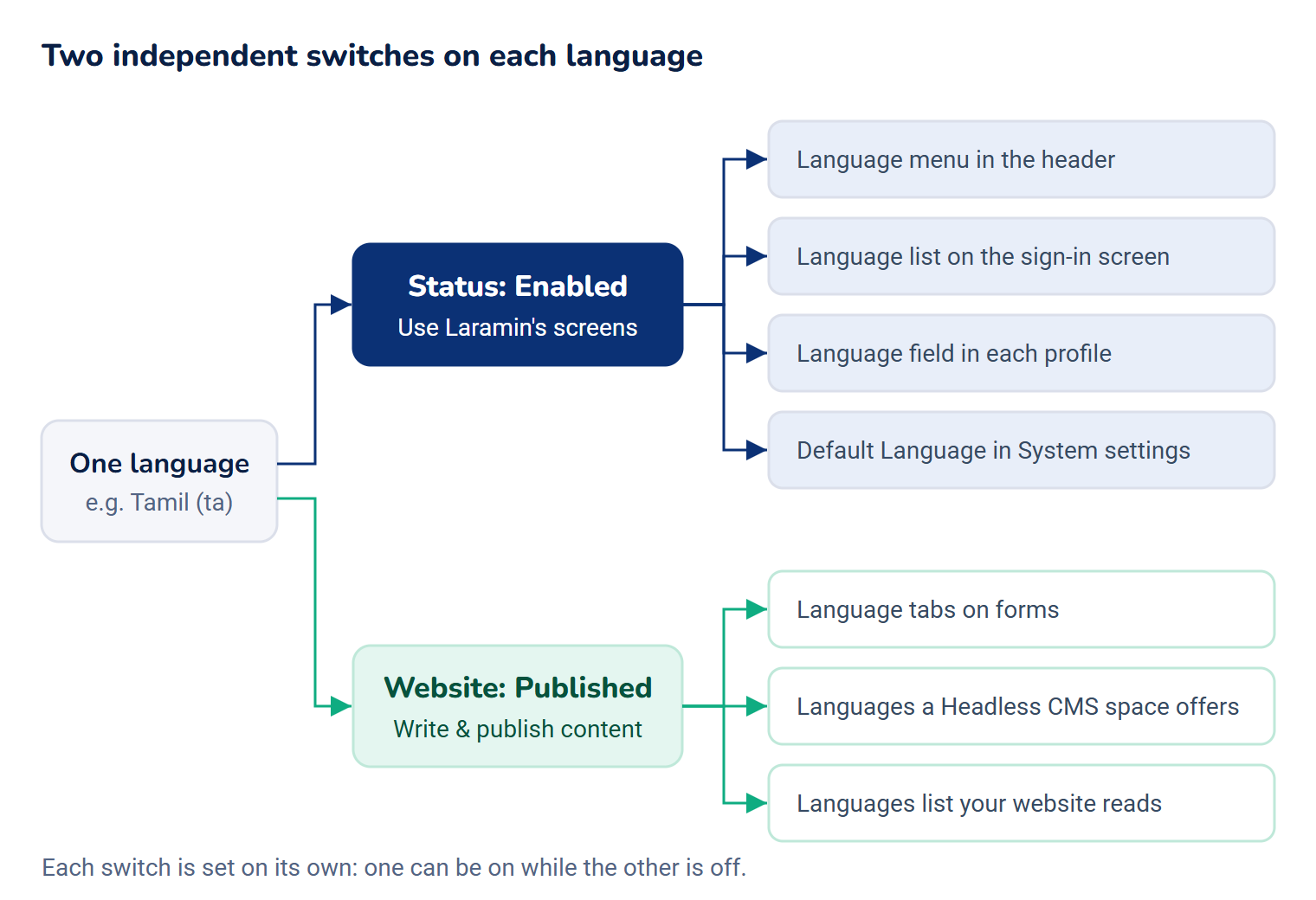
Each language has two switches, because "offering a language" means two different things:
- Status decides whether your staff can use Laramin's screens in that language.
- Website decides whether you write and publish your content in that language.
They're independent. You can run your admin in English only and publish your website in four languages, or the other way round.
How it works
The two switches
| Switch | When it's on | What it affects |
|---|---|---|
| Status: Enabled | Staff can choose the language for Laramin's screens. | The language menu in the header, the Language list on the sign-in screen, the Language field in each person's profile, and the Default Language list in System settings. See Change the interface language. |
| Website: Published | You can write content in the language, and your website can serve it. | The language tabs on forms, the languages a Headless CMS space can offer, and the list of languages your website reads from your Laramin. |
Careful: Changing Website changes what a live website offers. Setting a language to Not published takes its tab off your forms and tells your website it's no longer available. The translations you wrote are kept.
Two kinds of text
| Kind | Examples | Where it's translated | Stored |
|---|---|---|---|
| Screen text | Menu names, buttons, field labels, messages. | Translation Strings, one language at a time. See Translate screen text. | In translation files on your server, one per language for Laramin itself and one per add-on. |
| Content | A country's name, a static option, a blog post, a custom field's label. | On the record's own form, in a tab for each published language. See Translate your content. | With each record, in your database. |
Screen text that hasn't been translated shows in English, so a new language works straight away and fills in as you translate. The header's language menu shows how much of Laramin's own screen text each language has, for example "85% of the interface is translated".
The language code
Each language has a two-letter code, such as ta for Tamil. The code ties the language to its translation files, to people's language choice and to translated content. That's why it can't be changed after the language is added.
Typography
Some scripts read better with their own font, size or line spacing. Each language can have its own Font Family, Heading Font Family, Font Size Scale, Line Height and Letter Spacing. They apply to people using Laramin in that language, and win over the Typography tab of the admin appearance. See Customize the admin's appearance.
How it relates to
- Each person's language. People choose their own language from the header, the sign-in screen or their profile. New accounts start in English (unless your mobile app sends a language at sign-up), whatever the Default Language in System settings says: that setting only picks the sign-in screen's language until someone chooses one there. See System and company settings and A translation doesn't show.
- Notification templates offer the languages set to Enabled, because each person gets messages in their own language. Headless CMS content uses the languages set to Published.
- Permissions. See Language fields, settings and permissions, and give them with a role: Give someone a role.
- Turning Language off. The header's language menu disappears, and forms show one language only. Translation files and translated content are kept. See Disable or delete an add-on.
Next steps
Thanks. That helps us decide what to write next.
Thanks for telling us what was missing.
You already answered for this article today. Thanks.
We got a lot of answers from your network just now. Try again in a few minutes.
We couldn't send that. Check your connection and try again.
Links in this article
Printed from help.laramin.in. The online article may have changed since.