Add contact details and addresses
Record how to reach a party, by email, phone, mobile, WhatsApp, fax or website, and where they are, with one primary of each kind.
- Applies to
- Organization 3.1 and later
- Who can do this
- Administrator
- Permission
feature.org. party_contact. create - Where
- Organization › Parties
On this page
Before you start
- To add contact channels you need
feature.. To add addresses you needorg. party_contact. create feature.. In the role editor they're Create on the Party contact and Party address rows.org. party_address. create - Contact details and addresses are shared. Every business that deals with the party sees what you add, and sees your changes.
Add a contact channel
-
Open Organization › Parties.
-
Open the party's row actions menu and select Contact channels.
-
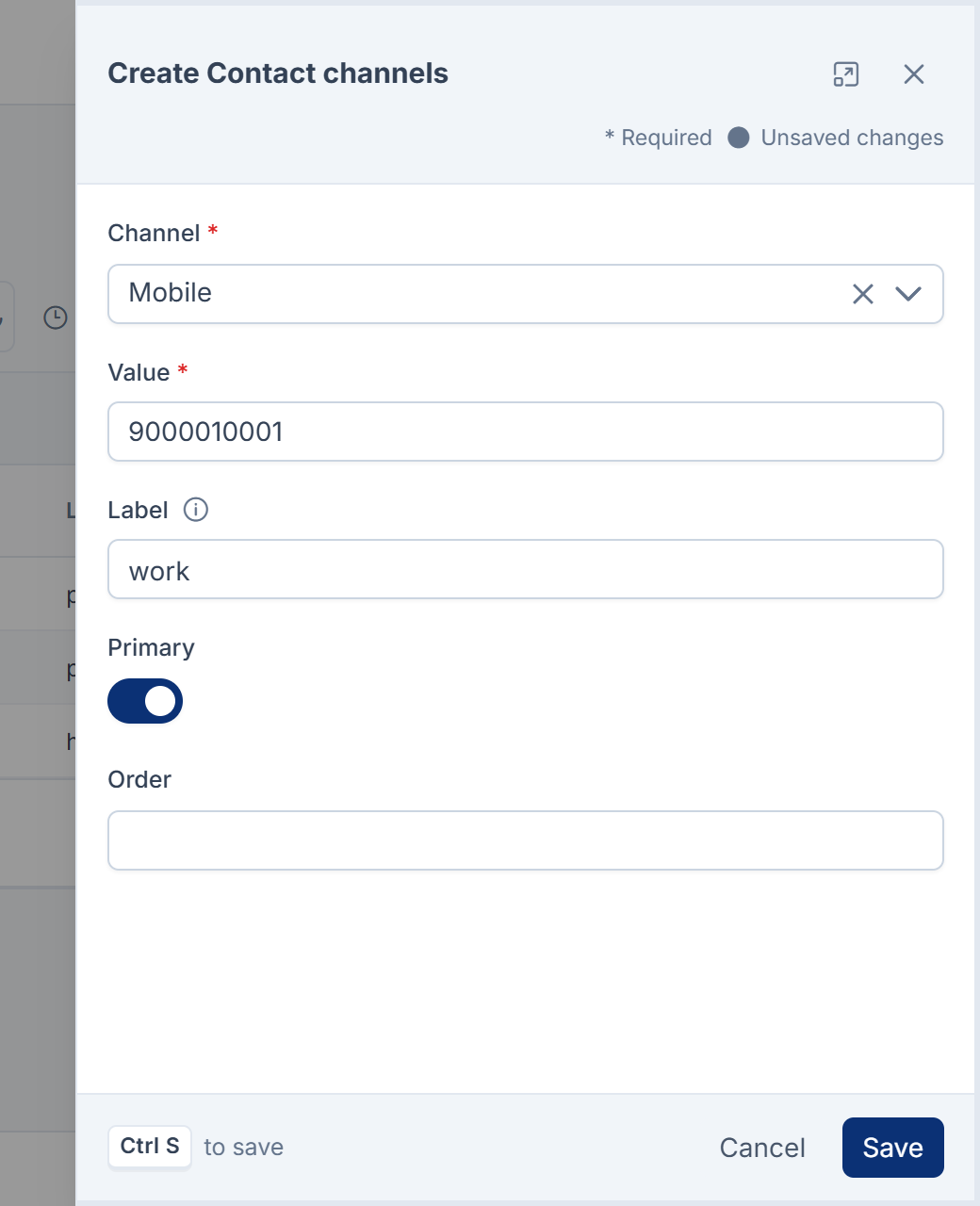
Select New Contact channel.
-
Choose the Channel: Email, Phone, Mobile, WhatsApp, Fax or Website.
-
Enter the Value: the address, number or web address.
-
In Label, say what the channel is for, such as
work,homeoraccounts. -
To make it the one to use first for this channel, turn on Primary.
-
Select Save.
Laramin says Contact channel added.
A party can have one primary channel of each kind: one primary email, one primary mobile, and so on. Making a new one primary makes the old one Secondary.
Laramin also stores each phone, mobile, WhatsApp and fax number in a standard international form, so the same number is recognized however it was typed. Numbers without a country code are read as numbers in India, unless whoever runs your Laramin's server has set ORG_ to another country. Your Laramin's Default Country setting doesn't change this. If your numbers aren't Indian, type them with their country code, such as +44.
Verified and Opted out show in the list, but you can't set them from the form.
Add an address
-
In Organization › Parties, open the party's row actions menu and select Addresses.
-
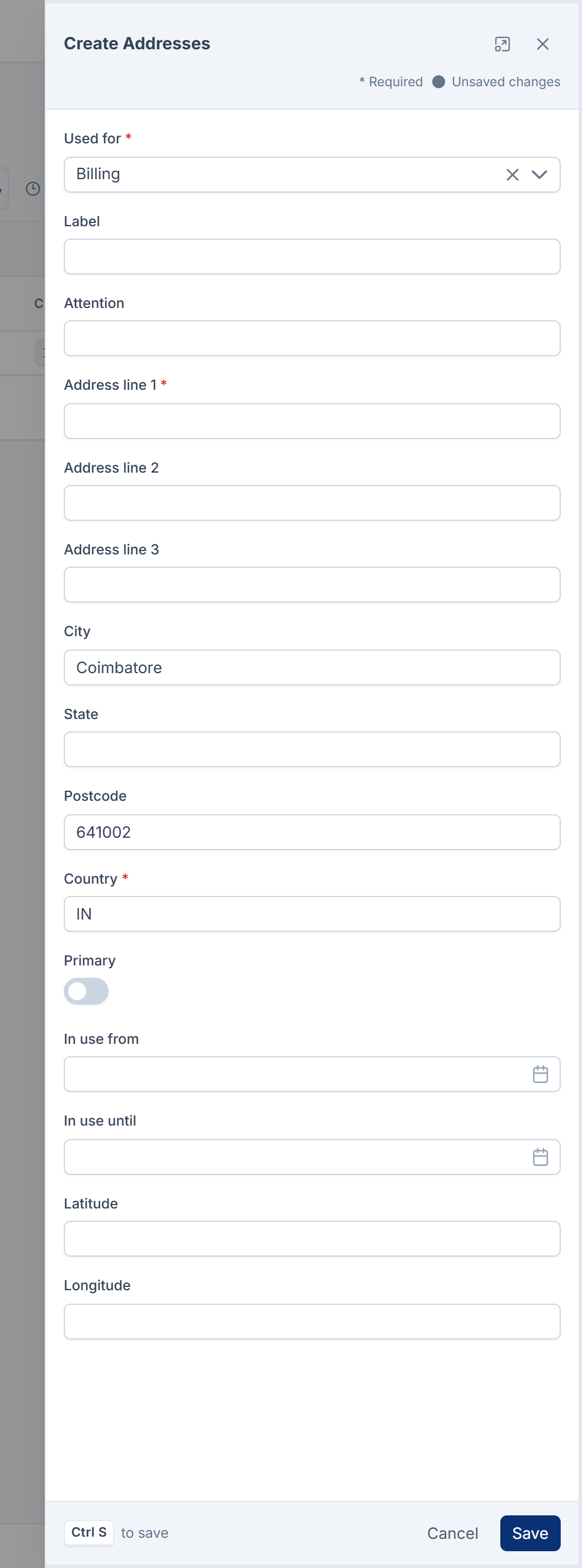
Select New Address.
-
Choose what the address is Used for: Registered, Billing, Shipping, Site or Correspondence.
-
Enter Address line 1. Add Address line 2 and Address line 3 if you need them.
-
Enter the City, State and Postcode.
-
Enter the Country as a two-letter code, such as
INorAE. -
If the address should go to a particular person or desk, enter them in Attention.
-
To make it the address to use for that purpose, turn on Primary.
-
Select Save.
Laramin says Address added.
There's one primary address for each use: one primary billing address, one primary shipping address, and so on.
Tip: When a party moves, don't delete the old address. Edit it and set In use until to the date they left, then add the new one. Documents raised while they were at the old address still make sense.
Registration numbers and relationships
The Identifiers and Relationships screens hold registration numbers, such as a tax number, and links to other parties, such as "employee of". In this version, nothing fills their Type and Relationship lists, so you can't add either.
What happens next
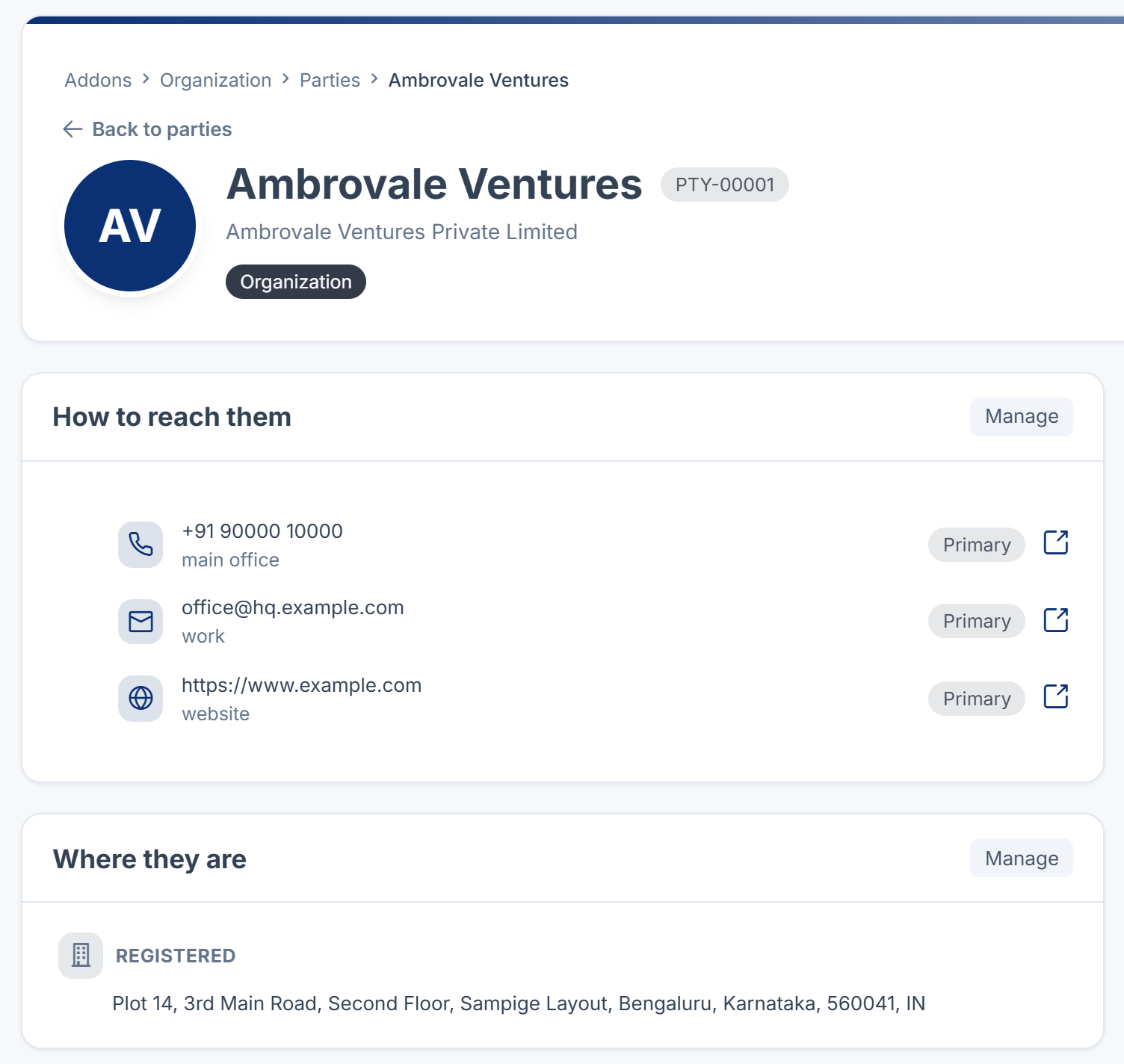
The party's contact details show on Party 360 under How to reach them, and its addresses under Where they are, grouped by use. An opted-out channel shows Opted out there, and has no contact link.
Duplicate suggestions use these details: two records with the same name and the same phone number or email are suggested as duplicates. See Merge two records for the same person or company.
Thanks. That helps us decide what to write next.
Thanks for telling us what was missing.
You already answered for this article today. Thanks.
We got a lot of answers from your network just now. Try again in a few minutes.
We couldn't send that. Check your connection and try again.
Links in this article
Printed from help.laramin.in. The online article may have changed since.