Deliveries fail or a destination is suspended
A receiving system gets nothing, deliveries show Failed, or a destination's status changed to Suspended. Find the cause and get deliveries flowing again.
- Applies to
- Webhook Engine 2.2 and later
- Who can do this
- Platform owner, Administrator
- Permission
feature.webhook. log.list - Where
- Webhook Engine › Delivery Logs
On this page
Symptom
One of these:
- The receiving system says it got nothing.
- Deliveries in Webhook Engine › Delivery Logs show Failed.
- A destination's Status changed to Suspended without anyone editing it.
Check these, in order
1. Is there anything in the log?
Open Webhook Engine › Delivery Logs and filter by the Destination.

- Rows with Failed: go to step 4.
- Rows with Success, but the receiver says it got nothing: the receiver answered with a
2xxcode. Open the entry and show its Response Body to the receiver's owner. The problem is on their side. - No rows at all for the event: no delivery was attempted. Check steps 2 and 3.
2. The destination isn't set to receive the event
In Webhook Engine › Destinations, edit the destination and check:
- Status is Active. Inactive and Suspended destinations receive nothing.
- Subscribed Events includes the event. An event marked no longer offered comes from an add-on that's turned off, so it never fires.
- Event Filters match the record. A rule that doesn't match stops the delivery without a log entry. Remove the rules to test.
- The event happened after you saved the destination. Earlier events aren't sent.
Some changes don't fire an event at all. For example, Headless CMS only sends its seven named events, never created or updated events for its records.
3. Deliveries are waiting in the queue
Deliveries are sent by your Laramin's queue worker. If it isn't running, nothing is sent and nothing is logged.
Open Extra Utilities and look at Pending under Queue & Worker Status. A growing Pending count means the queue isn't running.
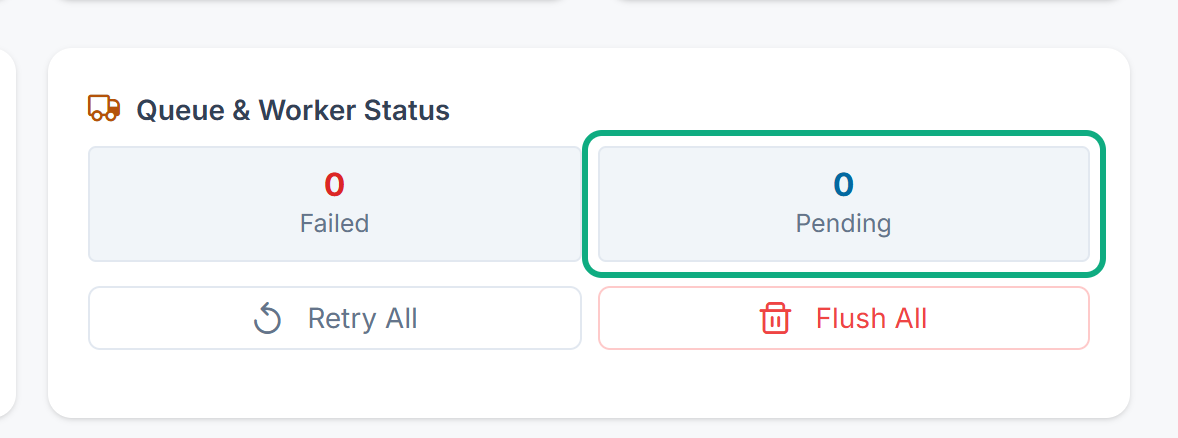
Fix: Ask whoever manages your server to start the queue worker. Waiting deliveries are sent once it runs. If your server has no separate queue worker, the queue is worked through by your Laramin's scheduled jobs, once a minute. When those don't run, deliveries wait too. See Scheduled jobs don't run.
Deliveries go out at once, with no retries
Your Laramin may run background work straight away instead of queueing it. This is the case when Connection on the Queue panel says Sync, which is where a new installation starts. Then each delivery is sent while the change that caused it is being saved:
- Saving a record can take up to 10 seconds longer for each destination that's slow to answer.
- Rate Limit (per minute) doesn't space deliveries out.
- A delivery that fails is tried only once. It's logged as Failed and isn't retried.
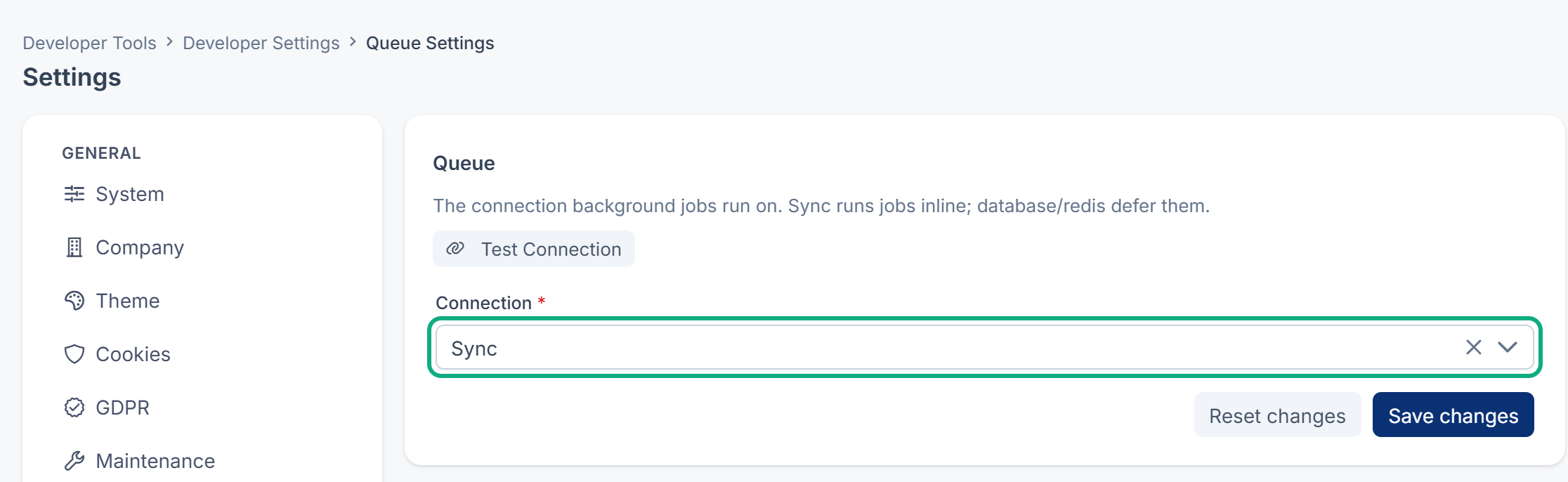
Fix: A platform owner opens the Settings hub, opens the Queue panel under Developer, sets Connection to Database, and saves. Deliveries are then queued and retried. Something must then work through the queue: a queue worker, or your Laramin's scheduled jobs. See Scheduled jobs don't run.
4. The receiver answers with an error
Open a failed entry and read Response Code and Error Message.
| You see | What it means | Fix |
|---|---|---|
| No response, with a connection or timeout error | The address couldn't be reached, or took more than 10 seconds to answer. | Check the Endpoint URL, and that the receiving server is up and reachable from your Laramin's server. The receiver should answer at once and do slow work afterwards. |
401 or 403 | The receiver rejected the signature or a header. | The receiver needs the destination's current secret and must check the scheme the destination uses. See Verify webhook signatures and handle retries. |
404 or 405 | Wrong address, or the receiver doesn't accept POST. | Correct the Endpoint URL. |
429 | The receiver is asking for fewer requests. | Lower Rate Limit (per minute). |
500 or higher | The receiver had an error. | Ask the receiver's owner to check their logs. The Payload shows what they were sent. |
Use the Test Console to try again straight away after a fix. See Test a webhook destination.
5. The signature check started failing after a change
- Sign the timestamp was turned on before the receiver was ready for version 2. Turn it off again, or have the receiver updated.
- The secret was rotated. Receivers that check only
X-start failing at once. They should also checkLaramin- Signature X-, or switch to the new secret.Laramin- Signature- Secondary - With Sign the timestamp on, a receiver whose clock is wrong may refuse every delivery as too old. Ask its owner to check the server's clock.
The destination was suspended
After 20 failed attempts in a row, your Laramin sets the destination to Suspended and stops sending to it. Each attempt counts, so 4 deliveries that fail all 5 attempts are enough.
-
Fix the cause using steps 4 and 5.
-
Send a test from the Test Console and check that HTTP status is
2xx. -
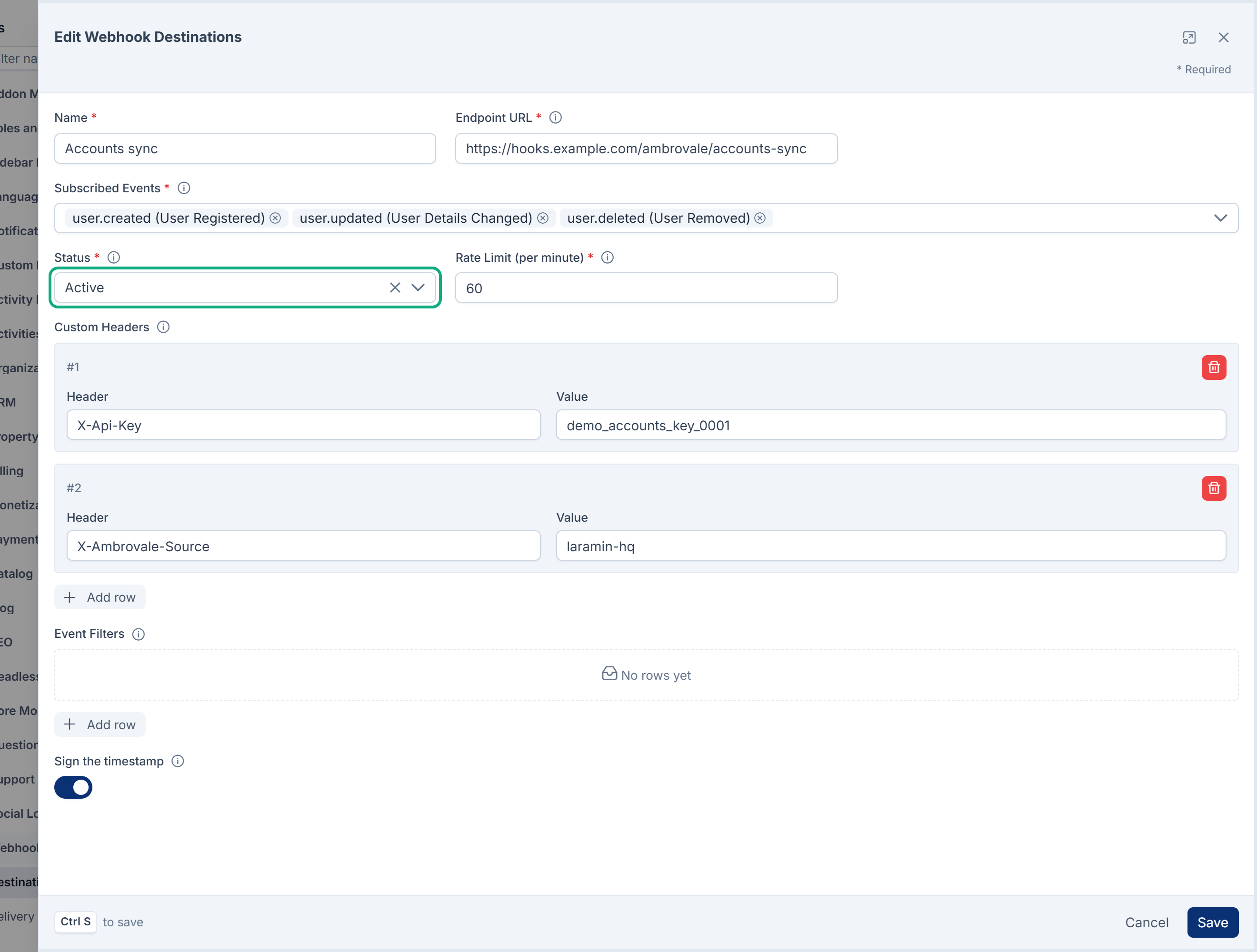
Edit the destination, set Status to Active, and select Save. Consecutive Failures goes back to
0.
-
Redeliver the deliveries the receiver missed. See Check deliveries and send one again.
Events that happened while the destination was suspended weren't queued, so they aren't in the log and can't be redelivered.
Still not working?
Raise a ticket from Support Center in your Laramin app. Include this page's link, the destination's name, the event, and a screenshot of a failed log entry's Delivery Summary and Error panels. Don't include the payload if it holds personal details.
Thanks. That helps us decide what to write next.
Thanks for telling us what was missing.
You already answered for this article today. Thanks.
We got a lot of answers from your network just now. Try again in a few minutes.
We couldn't send that. Check your connection and try again.
Links in this article
Printed from help.laramin.in. The online article may have changed since.