An integration stopped working
Outgoing webhooks stop arriving, a provider's callbacks are refused, or every call from an app or program fails. Find what changed on your Laramin's side, from stopped background work to a replaced key.
- Applies to
- Core 12.7 and later
- Who can do this
- Platform owner, Developer
On this page
Symptom
Something that worked before stopped, without anyone changing the integration itself:
- A receiving system gets no more webhooks from your Laramin.
- A payment or messaging provider says it delivered its callbacks, but nothing changes in Laramin, or they're refused.
- Every call from an app or program fails, usually with
401,429,426,503or500.
Check these, in order
1. Background work stopped
Webhook deliveries and the processing of payment callbacks are queued. When Connection in Developer Tools › Developer Settings › Queue Settings is Database or Redis and nothing works through the queue, they wait. Nothing is sent and nothing is logged.
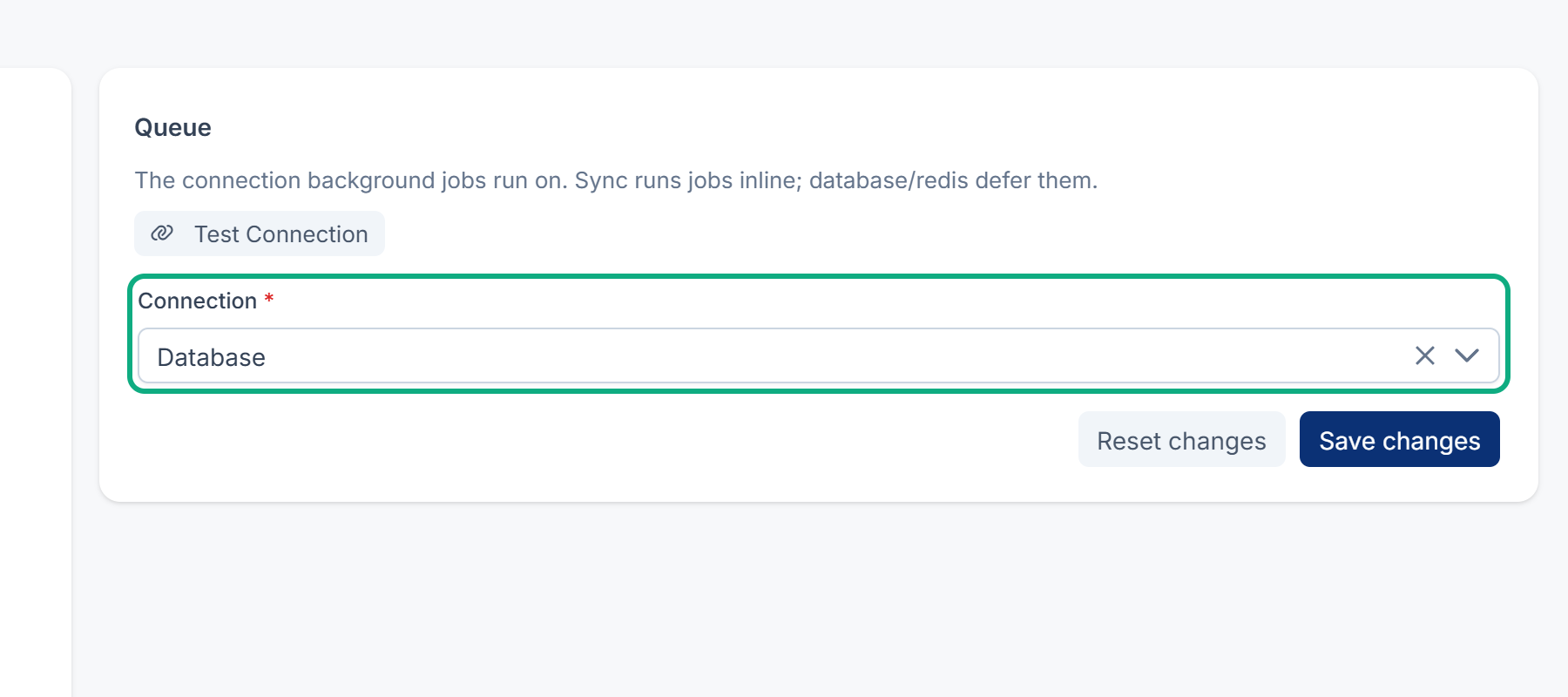
Fix: see Scheduled jobs don't run.
2. Webhooks go out once, with no retries
When Connection is Sync, where a new installation starts, each webhook is sent while the change is being saved. It's tried only once, and the destination's rate limit doesn't apply.
Fix: see Deliveries fail or a destination is suspended.
3. The destination was suspended, or its add-on is off
After 20 failed attempts in a row, Webhook Engine suspends the destination. Events from an add-on that's turned off aren't sent.
Fix: see Deliveries fail or a destination is suspended.
4. The platform API key was replaced
Calls that aren't signed in and send the old key answer 401, from every app and program. Signing in, signing up and the public endpoints under /api/v1/public/ don't need the key, so they keep working. Someone typed a new Platform API Key, or selected Generate new key, in Core Mobile's API Security. That key is the one your whole API accepts from callers that aren't signed in, not only the mobile app. A key made with Generate new key is never shown, so nobody can give it to the app.
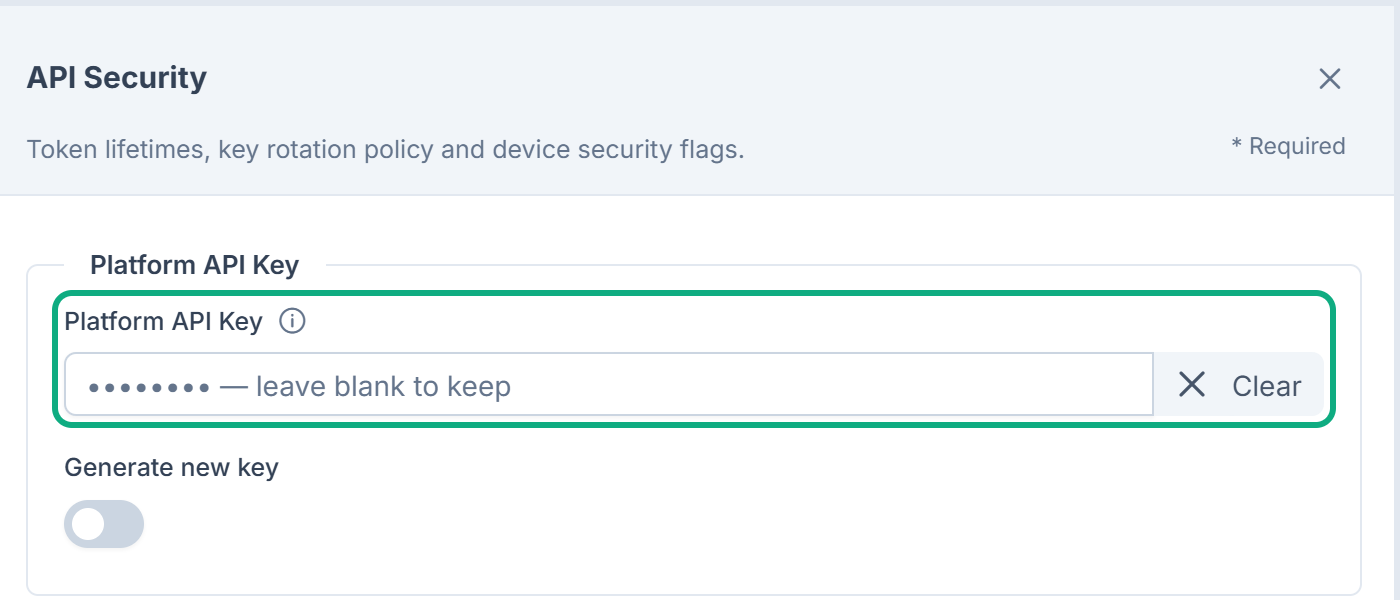
Fix: type a known, long, random key in Platform API Key, save, and give it to the app's developers. See Core Mobile configuration settings.
5. An API consumer's key was revoked or rotated
A program that uses its own consumer key answers 401 soon after the key was revoked or replaced.
Fix: check the consumer on Developer Tools › API Consumers and give the program its current key. See Register an API consumer and issue its key.
6. A provider's callbacks are refused or ignored
- Notification Manager 1.5.0 or later refuses delivery reports until you save the WhatsApp App Secret, the Twilio Auth Token, or Msg91's new report address. See Check what was sent.
- Razorpay with the wrong Webhook Secret: Razorpay shows its callbacks as delivered, but Laramin ignores them. See Razorpay payments stay pending.
7. Personal API tokens stopped
From Core 12.8, a password reset, a password change on the web, and an administrator setting the password also stop that person's personal API tokens. The calls answer 401.
Fix: the person creates a new token. See Create and manage personal API tokens and An API request is refused or returns the wrong thing.
8. Every mobile app sign-in fails with 500
Every sign-in, even with a wrong password, answers 500 with "Mobile authentication is not configured." (TOKEN_). The server has no sign-in client for the app. The installer sets it up from Core 12.8.2. On Laramin installed with Core 12.8.1 or earlier, or after a move to a new server, it may be missing.
Fix: whoever runs the server checks it. This changes nothing:
Couldn't copy. Select the code and press Ctrl+C (⌘+C on a Mac).
php artisan auth:mobile-client --checkIt answers The mobile sign-in is set up (client N). Nothing to change., or says what's wrong. If it reports a problem, they run:
Couldn't copy. Select the code and press Ctrl+C (⌘+C on a Mac).
php artisan auth:mobile-clientIt creates the keys if they're missing, creates or reuses the client, and writes PASSPORT_ and PASSPORT_ to the settings file. Running it again changes nothing. If it says the configuration is cached, run php artisan config:cache afterwards. A wrong password then gets the normal 401. For the other reasons a person can't sign in to the app, see Someone can't sign in to the mobile app. For the sign-in calls, see Sign people in from a mobile app.
9. Calls answer 503, 429 or 426
503withMAINTENANCE: your Laramin is in maintenance mode.429for everyone at once: your Laramin sits behind a proxy it doesn't trust, so all callers share one limit. SetTRUSTED_PROXIES.426: the app's version is below the minimum set for its platform.
See An API request is refused or returns the wrong thing for each.
Still not working?
Raise a ticket from Support Center in your Laramin app. Include this page's link, what stopped and when, the HTTP status, error.code and meta.request_id of a failed call, and what changed on your Laramin around that time. Never include a token or key.
Thanks. That helps us decide what to write next.
Thanks for telling us what was missing.
You already answered for this article today. Thanks.
We got a lot of answers from your network just now. Try again in a few minutes.
We couldn't send that. Check your connection and try again.
Links in this article
Printed from help.laramin.in. The online article may have changed since.