A notification you turned off is sent, or goes out on the wrong channel
People get a notification you switched off, or get it by email when you chose SMS only. Find the switch that really decides it.
- Applies to
- Notification Manager 1.4 and later
- Who can do this
- Platform owner
- Permission
feature.nm. event.edit - Where
- Notification Manager › Business Events
On this page
Symptom
There's no error. One of these happens:
- People receive a notification whose event you turned off.
- A notification goes out on a channel you didn't choose, for example by email when you set it up for SMS only.
To see what was sent, and on which channel, open Delivery Logs. See Check what was sent.
Check these, in order
1. An add-on was installed or upgraded, and the event came back on
When an add-on is installed or upgraded and the notifications that come with any add-on have changed, Notification Manager resets every add-on's events to their own name, category and Status. That covers all add-ons, not only the one you installed or upgraded. So an event you turned off can be on again.
Fix: On Notification Manager › Business Events, check the Status of each event you turned off, and turn it off again. Do this after every add-on install or upgrade. See Turn a notification on or off. For other things that change after an upgrade, see Things changed after an add-on upgrade.
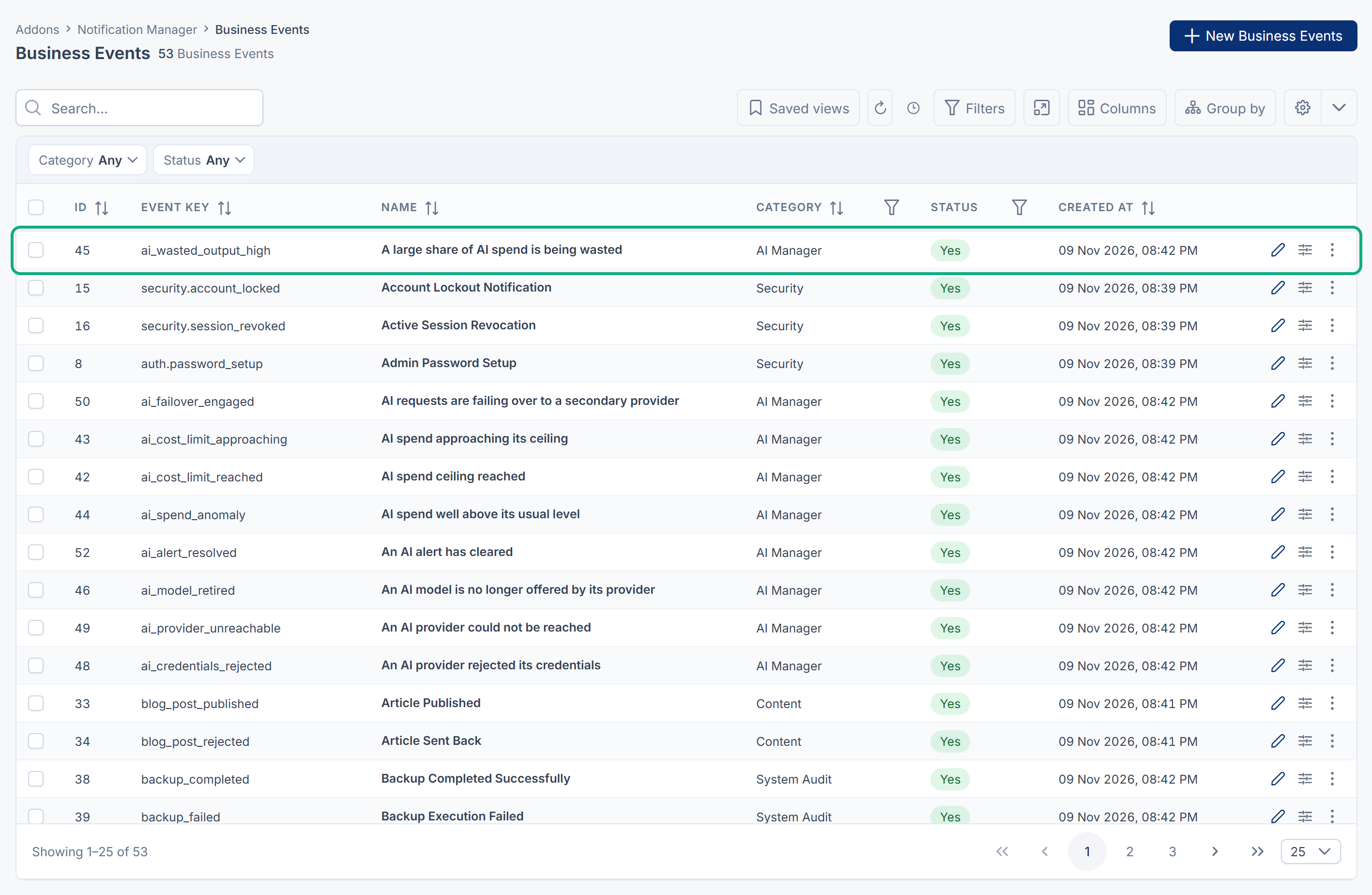
Your edited templates are kept. Only the event's own details and Status are reset.
2. Default Channels doesn't decide the channels
Default Channels in Notification Manager's settings is saved, but sending doesn't use it. A notification goes out on every channel that has a template with Enable Dispatch on, in the person's language or in English.
Fix: Open the event in the Template Builder. For each channel you don't want, open its template and turn off Enable Dispatch, in every language, then select Save Template. Translation Coverage then shows Off for that channel. See Edit a message template and send a test.
3. The notification doesn't come from a Business Event
Some add-ons notify people without going through Business Events, so the event's Status and templates don't affect them. For example, Activities reminders and @mention notifications go straight to the person's notification bell while Notification Manager is on.
Fix: Look for a setting in that add-on. An Activities reminder can be canceled on its task before it's sent. See A task reminder didn't arrive for how reminders are delivered.
Still not working?
Raise a ticket from Support Center in your Laramin app. Include this page's link, the event's name, the channel it went out on, and the row from Delivery Logs.
Thanks. That helps us decide what to write next.
Thanks for telling us what was missing.
You already answered for this article today. Thanks.
We got a lot of answers from your network just now. Try again in a few minutes.
We couldn't send that. Check your connection and try again.
Links in this article
Printed from help.laramin.in. The online article may have changed since.